AI Cost-Per-Task Calculator
Input your team's tasks. Get the real cost, hours saved, and ROI of automating each one with AI — and an honest verdict on which to skip.
TL;DR
A spreadsheet that compares human hours vs AI for every task — counting realistic time savings, AI usage cost, and setup cost — and tells you the payback, the ROI, and whether it's actually worth automating. The rare ROI tool honest enough to say “don't automate this one.”
Google Sheets & Excel · 30-day money-back guarantee
The problem
“Use AI to cut costs.”On which tasks, exactly?
Everyone's under pressure to cut costs with AI — but almost nobody knows which tasks actually pay off. Automate the wrong ones and you spend real money on setup and tools to save a few minutes that didn't cost much to begin with. Sometimes automation costs you more than the human did.
The vendor “ROI calculators” don't help — they assume AI does 100% of the work for free, so every answer says “huge savings, automate now.” You need the real math, on your tasks, with the costs left in.
The most expensive AI mistake isn't failing to automate — it's spending a week and a subscription to automate a task that was never worth it. The right answer is sometimes “don't.”
What's inside
One calculator, four tabs.
Pre-loaded with six example tasks so it works the moment you open it. Clear them, enter your own, and read the verdict.
Start Here
The honest method, how to fill it, and how to read the verdict.
Task Calculator
One row per task: enter 8 inputs, get savings, payback, ROI, and a verdict — automatically.
Summary
Totals across every task — annual savings, hours freed, blended ROI, tasks to automate — plus a savings-by-task chart.
Assumptions
Frequency-to-annual lookups, a loaded-cost helper, and the full methodology.
How it works
Eight inputs in, a decision out.
Enter the task
Loaded $/hr, minutes per task, and how often it happens today.
Add the AI reality
A realistic time-reduction %, the AI cost per run, and the one-time setup cost.
Read the verdict
Annual savings, hours freed, payback, ROI, and ✓ Automate / ⚠ Review / ✗ Skip.
It will tell you not to automate
Because it counts AI usage cost and setup cost — and makes you use a realistic time-reduction %, not 100% — some tasks come back red: ✗ Skip. That's the feature. A calculator that only ever says “automate” is a sales pitch; this one protects your budget.
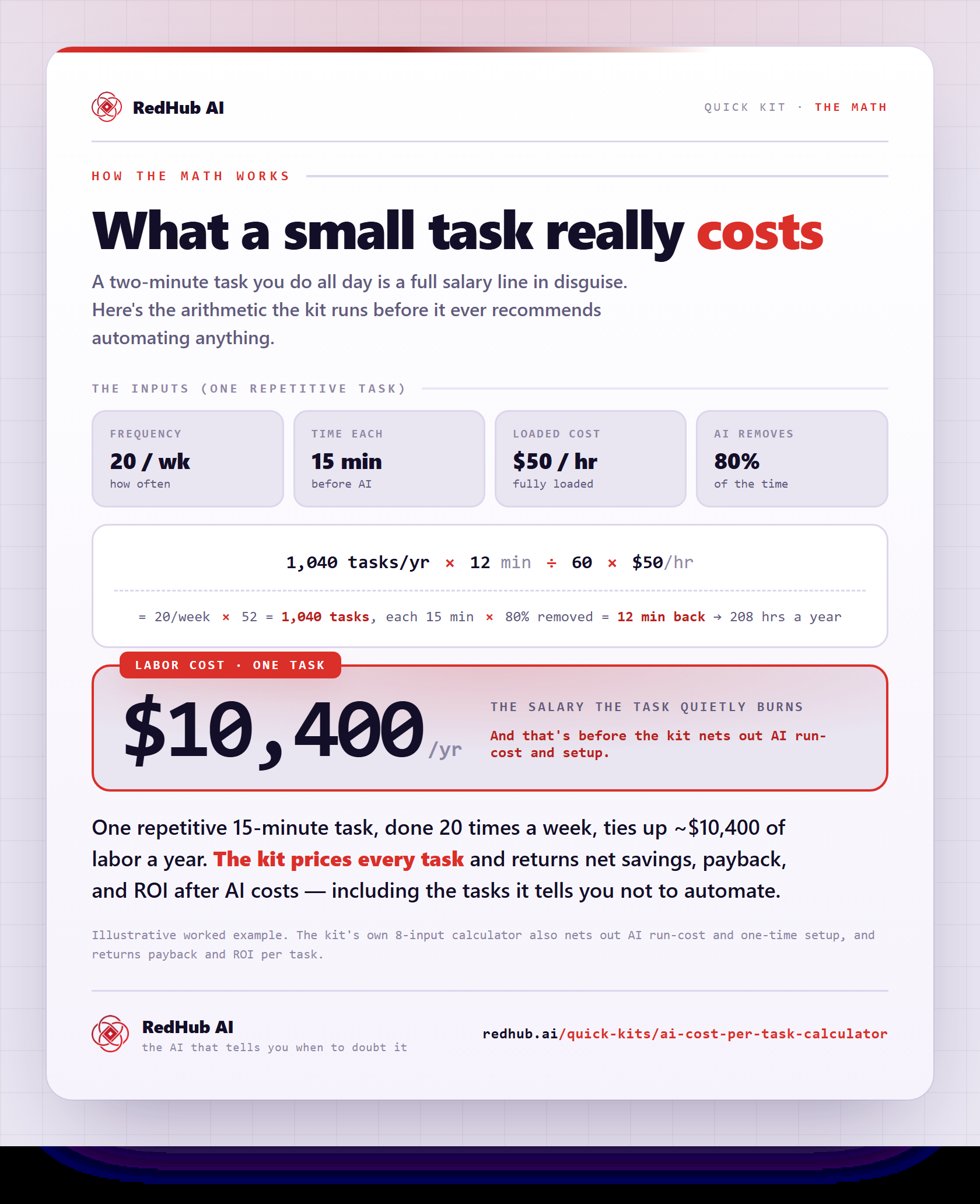
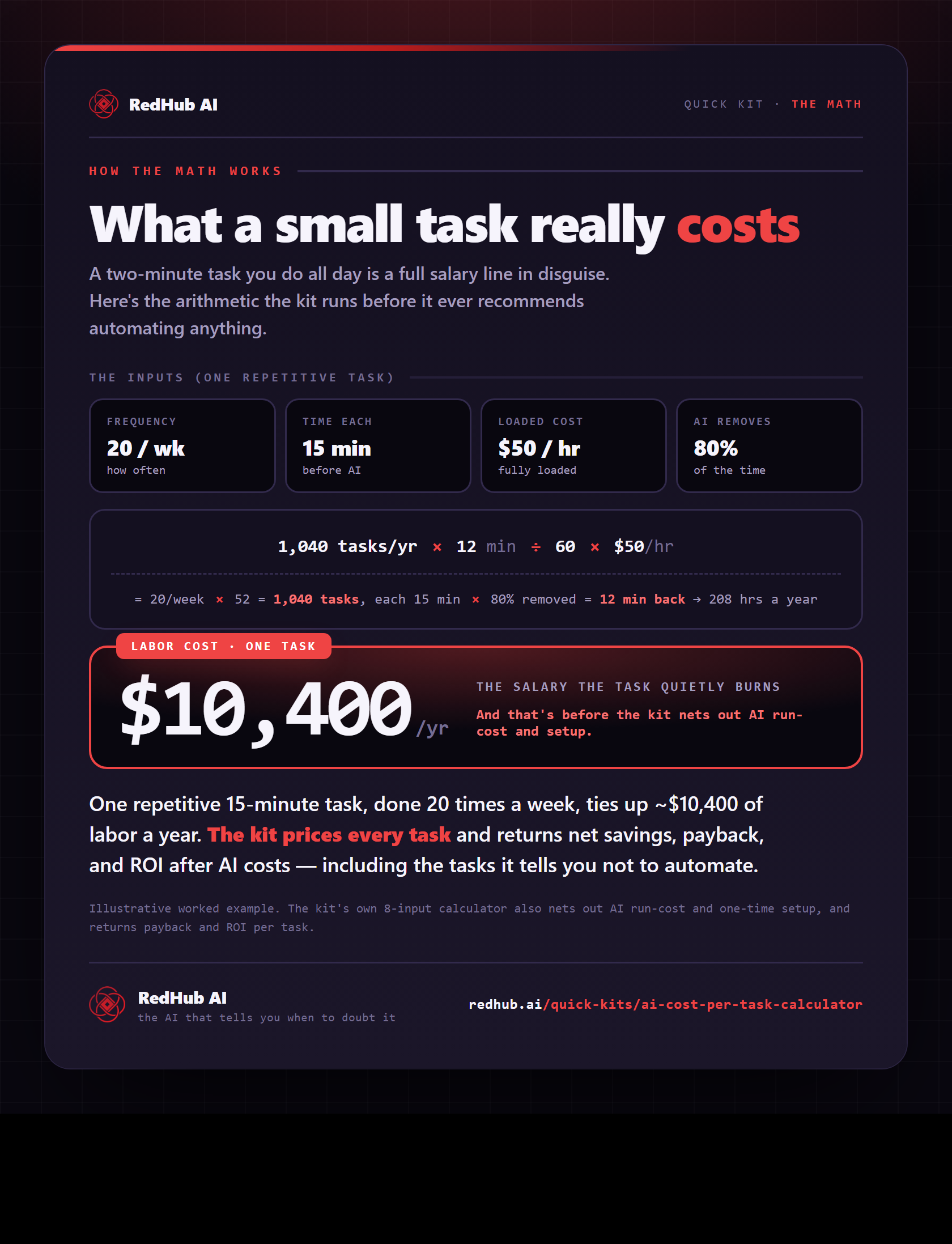
The math behind it, in one image
See the arithmetic behind one task: frequency × time × loaded rate — a 15-minute task done 20×/week ties up ~$10,400 of labor a year.
See the full calculationWhat you'll see
The numbers that decide it.
Total annual savings
What automating the worthwhile tasks actually saves you per year — after AI and setup costs.
Hours freed per year
The human time given back, summed across every task.
Payback and ROI
How fast each automation pays for its setup, and the return on that investment.
An honest verdict
Every task labeled ✓ Automate, ⚠ Review, or ✗ Skip — so you don't automate the wrong things.
Who it's for
Clear about the lane. No inflated promises.
Built for you if…
- Founders and ops leaders deciding where to deploy AI first
- Teams building the business case for AI to show finance or leadership
- Consultants sizing AI ROI for clients
- Anyone told to “cut costs with AI” who needs to know which tasks actually pay off
Not for you if…
- Anyone who wants a number that always says “automate everything” — this isn't that
- Tasks you can't estimate a time or frequency for
- Decisions that need a full enterprise TCO model — this is fast, not exhaustive
Pairs well with
Price the task, then watch the whole spend.
Cost per task is one view of AI spend. The AI ROI Tracker sets that cost against the return, the AI Burn-Rate & Budget Blowout Forecaster projects it forward to the month you’d blow the budget, and the AI Spend Runaway & Billing-Safeguard Gate checks a leaked key can’t blow it overnight.
Common Questions
The questions operators actually ask before sizing an AI ROI.
It's a spreadsheet that compares, for each task your team does, the cost of doing it with human hours against the cost of doing it with AI plus the human oversight that remains. For every task it returns the annual savings, hours freed, payback period, ROI, and a clear verdict on whether to automate it.
Most AI ROI calculators are sales tools: they assume AI removes 100% of the work at zero ongoing cost, so every result is a fantasy. This one makes you enter a realistic time-reduction percentage, counts both AI usage cost and one-time setup cost, and flags tasks where automation costs more than it saves with a plain '✗ Skip.' A calculator that only ever says 'automate everything' isn't a decision tool — it's a pitch.
Eight simple inputs: the loaded hourly cost of the person doing it, minutes per task, how often it happens, a realistic estimate of how much time AI removes, the AI cost per run, and the one-time setup cost. The calculator does the rest.
Yes — that's the whole point. Tasks where AI costs as much or more than it saves get flagged ✗ Skip; tasks that save money but take over a year to pay back the setup get ⚠ Review; only the clear wins get ✓ Automate. It's built to stop you wasting money automating the wrong things.
Google Sheets or Microsoft Excel — nothing else, and no coding. The formulas, verdict logic, conditional formatting, and a savings-by-task chart are all built in, and it comes pre-loaded with example tasks so it works the moment you open it.
The sheet includes a loaded-cost helper (base hourly times a typical 1.3x multiplier for benefits and overhead). The AI reduction percentage is your honest estimate of how much human time AI actually removes after review — 30 to 70% is typical, and you should confirm it against a small real pilot before betting budget on it.
Yes. The calculator carries a 30-day money-back guarantee. If it doesn't help you make a clearer call on where AI pays off, request a refund within 30 days of purchase.
Get the calculator
Know what AI is actually worth.
The full four-tab calculator, pre-loaded and ready — one payment, yours for good, with 12 months of updates.
- 4-tab calculator with verdict + savings chart
- Works in Google Sheets and Excel
- 30-day money-back guarantee · 12 months of updates