AI ROI Tracker
Put a net dollar value on every AI tool you pay for — after the subscription, the setup, and the time you spend babysitting its output — with a keep / expand / kill verdict.
TL;DR
Most “AI ROI” math skips the hidden cost: the hours your team spends checking and fixing AI output. This kit counts it. In the worked example a $1,380/mo stack nets just +$320 — until you spot the two tools bleeding −$1,010 between them; cut those and net jumps to +$1,330.
instant download · .xlsx · 30-day guarantee
The problem
Everyone's buying AI. Almost no one can prove which tools pay off.
A $20/mo tool feels free. But the real cost isn't the subscription — it's the hours your team spends reviewing, correcting, and re-prompting its output. That oversight time never lands on an invoice, so it never gets counted.
Add it up per tool and the picture flips: some “cheap” tools are quietly underwater, while the ones earning their keep deserve more budget. The verdict isn't anti-AI — it's anti-AI-that- doesn't-earn-out.
what most teams 'count' for oversight time — the hidden cost of AI
one-time build cost, amortized so month one isn't unfairly punished
tools earn out in the worked example — the other two drain −$1,010/mo
monthly swing from cutting the two losers (net +$320 → +$1,330)
Example figures are computed live from the workbook's seeded sample stack — not a claim about any real set of tools.
What's inside
One sheet. One verdict per tool. One honest answer.
One .xlsx — open it in Excel, Google Sheets, or Numbers and score your stack today.
Tool ROI tab
List every AI tool or initiative you pay for. Enter monthly cost, one-time setup, hours saved, loaded rate, and oversight hours; the sheet returns net monthly value and a verdict for each — example data filled in, ready to overwrite.
Spend Dashboard
Your honest bottom line: tools tracked, total monthly AI cost, net value across all tools, net for keepers only, and the monthly drain from the tools that don't earn out — the gap you'd close by cutting them.
The verdict
Every tool gets one of three calls — Expand (nets at least its own cost back), Keep (net positive but modest), or Kill (costs more than it saves once oversight is counted).
The honest oversight model
A transparent, editable formula that amortizes setup over 12 months and subtracts the supervision time most ROI math forgets — the hidden cost of AI adoption, counted on purpose.
How the verdict works
Net value, then the call
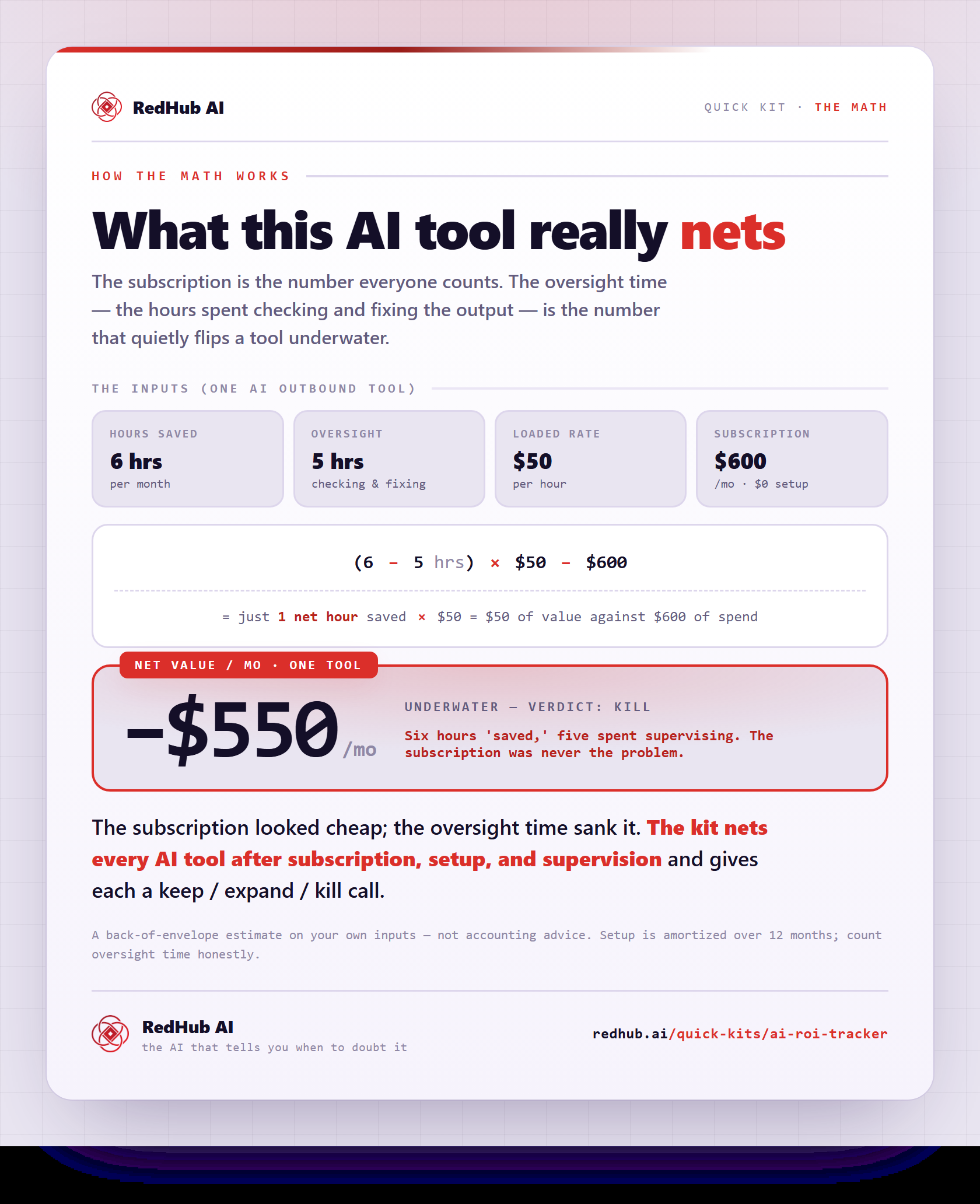
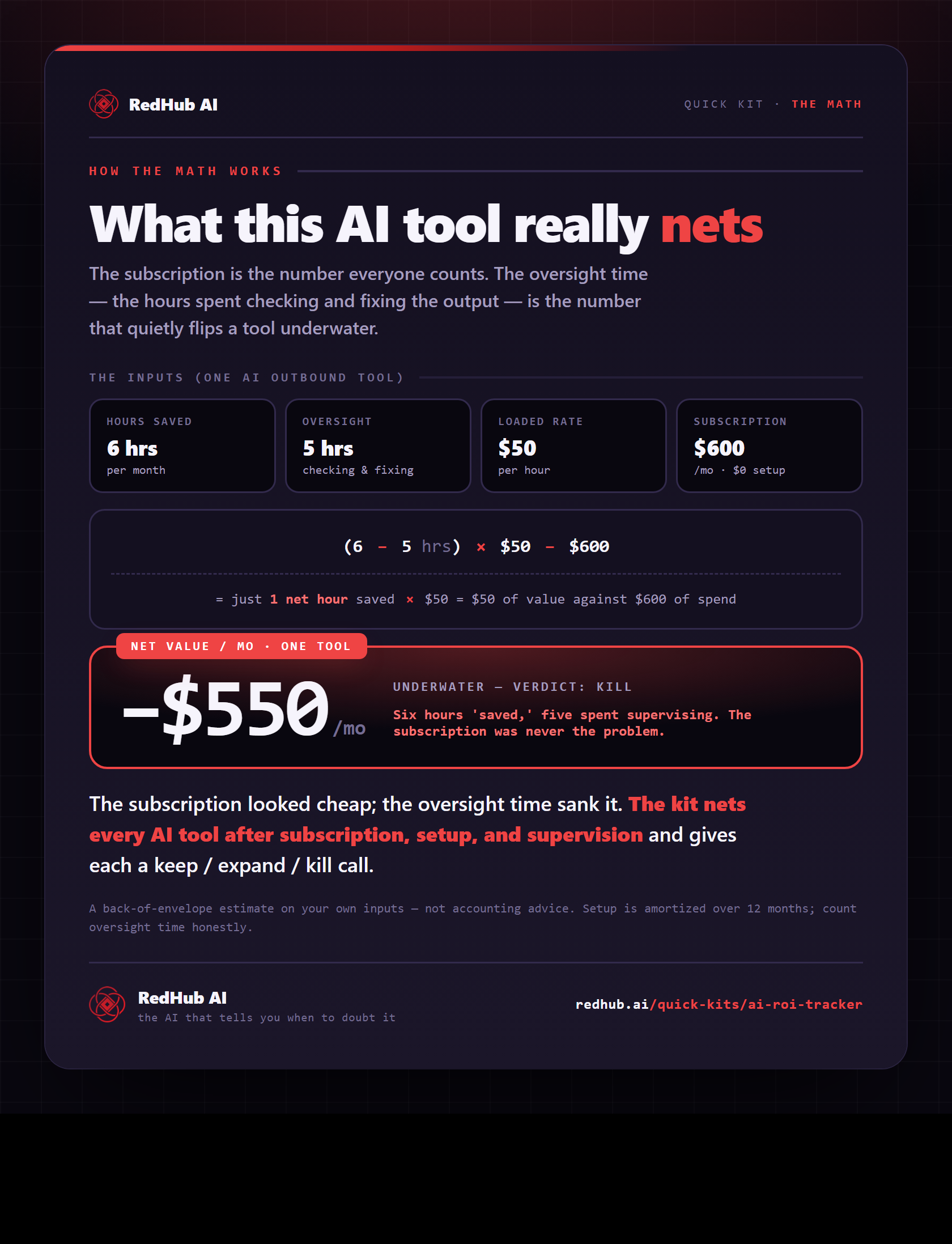
Net monthly value is hours saved minus oversight, times your loaded rate, minus the subscription and amortized setup. That number sets the verdict:
- Expand — nets at least its own cost back again each month — strong ROI, do more of it
- Keep — pays for itself, but not dramatically — worth keeping, look to raise the savings
- Kill — costs more than it saves once you count subscription, setup, and oversight
The built-in example · 5 tools
The two Kill tools look fine on their subscriptions — the oversight time is what sinks them.
Try it
Net out the real value of each AI tool
Net value / mo (all)
$320
Net / mo (keepers only)
$1,330
Monthly drain from Kill
$1,010
Expand / Keep / Kill
3 / 0 / 2
This is the live engine. Your numbers here reset when you reload. The kit scores your whole AI stack at once, amortizes setup, counts oversight time, and shows exactly what cutting the losers is worth.
Get the kit — $49| AI tool | Cost | Setup | Saved hrs | Rate | Overst. | Net/mo | Verdict |
|---|---|---|---|---|---|---|---|
| $390 | Expand | ||||||
| $790 | Expand | ||||||
| $150 | Expand | ||||||
| -$460 | Kill | ||||||
| -$550 | Kill |
A back-of-envelope estimate — not accounting advice. “Hours saved” is your input; count oversight time honestly.
The math behind it, in one image
See what an AI tool really nets after oversight: (hours saved − oversight) × rate − spend — the example tool lands at −$550/mo, a Kill.
See the full calculationWhy it's different
Counts the cost everyone forgets
Counts oversight time
The hours spent checking and fixing AI output — the line item that quietly flips a 'free' tool negative, counted on purpose.
Expand before you kill
The verdict points you at what to scale, not just what to cut. Most tools that pay off get Keep or Expand; Kill is the exception.
A tool, not advice
It does the math on your own estimates and ranks your stack. A tool can still be worth keeping for reasons it can't price — you make the call.
We sell AI tools, and we built the thing that tells you to cancel the ones that don't earn out. That's the point.
Who it's for
Clear about the lane. No inflated promises.
Built for you if…
- You pay for several AI tools and can't say which actually earn out
- You want a net dollar figure per tool, not a vibe
- You're willing to estimate hours saved and oversight time honestly
- You'd rather scale the winners and cut the losers than renew everything by default
Not for you if…
- You want a live integration that pulls usage from each tool automatically
- You can't estimate hours saved or oversight time even roughly
- You need audited accounting, not a fast back-of-envelope read
Pairs well with
Prove the return, then defend the spend.
ROI is return over cost, so pin the cost side too: the AI Cost-Per-Task Calculator prices what each automated task actually costs to run, the AI Burn-Rate & Budget Blowout Forecaster projects the spend forward to the month you'd blow the budget, and the AI Spend Runaway & Billing-Safeguard Gate checks a leaked key or retry loop can't erase the return overnight.
Common Questions
The questions operators actually ask before they trust an AI ROI number.
It's a one-time spreadsheet that puts a net dollar value on every AI tool you pay for. You enter each tool's monthly cost, one-time setup, hours saved per month, your team's loaded hourly rate, and the hours you spend supervising or fixing its output; it computes net monthly value (with setup amortized over 12 months) and gives a verdict — Expand, Keep, or Kill.
One .xlsx that opens in Microsoft Excel, Google Sheets, or Apple Numbers — no subscription, no login. It ships pre-loaded with a worked example stack so it makes sense the moment you open it; overwrite it with your own tools.
The oversight column. Most 'AI ROI' math counts the subscription and the hours saved but ignores the time your team spends checking and fixing AI output — the hidden cost that quietly flips a 'free' tool negative. This kit counts it, which is why a tool can look like a winner and still earn a Kill verdict.
No. Most tools that pay for themselves get Keep; strong performers get Expand. Kill is reserved for tools that genuinely cost more than they save once you count the subscription, setup, and oversight. In the built-in example, three tools earn out and two don't — cutting the two lifts net monthly value from +$320 to +$1,330.
That's the point. We'd rather you keep the AI that earns out and cut the AI that doesn't — including ours, if it doesn't pay off for you. An honest ROI read is how you build a stack you trust.
It's the third piece of the AI-spend trilogy: the AI Cost-Per-Task Calculator decides before you buy, the AI & SaaS Subscription Auditor finds what you're already paying for, and this tracks whether each tool actually earned out. Use them together to spend on AI with eyes open.
Yes — a 30-day money-back guarantee. If it doesn't give you a clearer read on your AI spend, request a refund within 30 days.
Get the kit
Prove your AI pays off this afternoon.
Instant download, yours to keep, 12 months of updates. Cutting one tool that doesn't earn out usually covers it many times over.
- 3-tab .xlsx: Start Here, Tool ROI, Spend Dashboard
- Net-value-per-tool engine + keep / expand / kill verdict
- Counts oversight time and amortizes setup — the honest model
- Works in Excel, Google Sheets, or Numbers · 30-day guarantee