Tool Gate · How it works
How the Document Classify & Route gate works
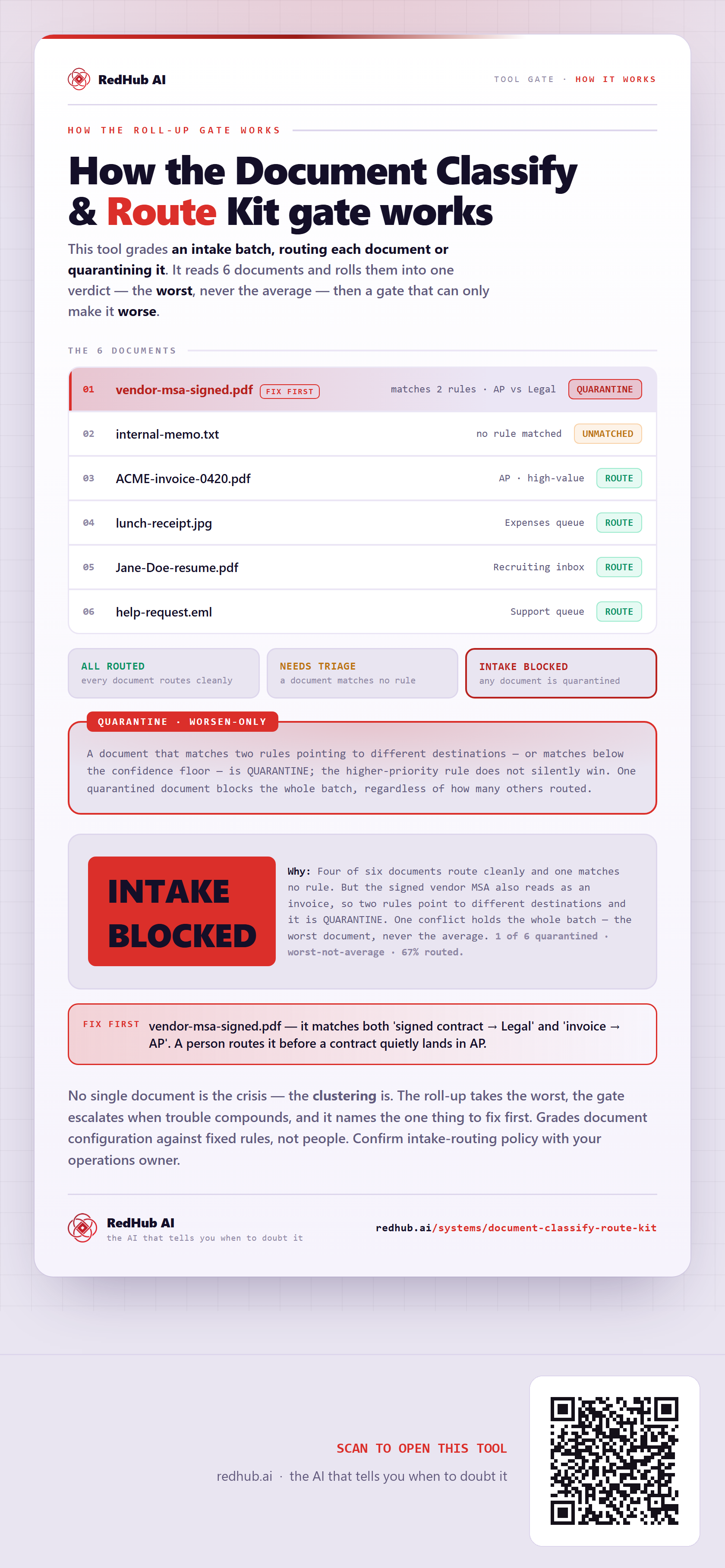
How the Document Classify & Route gate handles an intake batch: each document rolled up to the worst, with a conflict gate where a document matching two destinations is quarantined and blocks the whole batch — which is how a batch that's 67% routed still reads INTAKE BLOCKED, because a signed MSA also reads as an invoice.
How the gate works
This tool grades an intake batch, routing each document or quarantining it. It reads 6 documents and rolls them into one verdict — the worst, never the average — and then a gate that can only make it worse.
The 6 documents
| Document | Verdict |
|---|---|
| vendor-msa-signed.pdffix first | QUARANTINEmatches 2 rules · AP vs Legal |
| internal-memo.txt | UNMATCHEDno rule matched |
| ACME-invoice-0420.pdf | ROUTEAP · high-value |
| lunch-receipt.jpg | ROUTEExpenses queue |
| Jane-Doe-resume.pdf | ROUTERecruiting inbox |
| help-request.eml | ROUTESupport queue |
The verdict bands
A document that matches two rules pointing to different destinations — or matches below the confidence floor — is QUARANTINE; the higher-priority rule does not silently win. One quarantined document blocks the whole batch, regardless of how many others routed.
In the worked sample it reads INTAKE BLOCKED — Four of six documents route cleanly and one matches no rule. But the signed vendor MSA also reads as an invoice, so two rules point to different destinations and it is QUARANTINE. One conflict holds the whole batch — the worst document, never the average. Marked fix first on this sample: vendor-msa-signed.pdf — it matches both 'signed contract → Legal' and 'invoice → AP'. A person routes it before a contract quietly lands in AP.
Common questions
Can every document look survivable on the Document Classify & Route Kit gate and the company still read INTAKE BLOCKED?
Yes. The roll-up takes the worst of 6 documents — never the average — then a worsen-only gate, the Quarantine gate, escalates when trouble clusters. In the worked sample it reads INTAKE BLOCKED because four of six documents route cleanly and one matches no rule. But the signed vendor MSA also reads as an invoice, so two rules point to different destinations and it is QUARANTINE. One conflict holds the whole batch — the worst document, never the average.
What is a worsen-only gate?
A rule that can only lower a verdict, never raise it. One gate-triggering gap overrides an otherwise-set of survivable lines, because a single gate-triggering gap shouldn't hide behind an average of the healthy ones. Where something is short, the fix-first row names it — here, "vendor-msa-signed.pdf — it matches both 'signed contract → Legal' and 'invoice → AP'. A person routes it before a contract quietly lands in AP.".
Grades document configuration against fixed rules, not people. Confirm intake-routing policy with your operations owner.
Embed this diagram
Free to share and embed with attribution (CC BY 4.0) — keep the link to redhub.ai.
Interactive — renders the live diagram
<iframe src="https://redhub.ai/visuals/tool/document-classify-route-kit.html" title="How the Document Classify & Route gate works — RedHub AI" width="760" height="1679" loading="lazy" style="border:0;width:100%;max-width:760px"></iframe>
<p style="font:14px/1.5 system-ui,sans-serif"><a href="https://redhub.ai/visuals/tool/document-classify-route-kit">How the Document Classify & Route gate works</a> — by <a href="https://redhub.ai">RedHub AI</a>, the AI that tells you when to doubt it.</p>
Image + link — a static picture for any blog
<a href="https://redhub.ai/visuals/tool/document-classify-route-kit"><img src="https://redhub.ai/visuals/tool/document-classify-route-kit-share.png" alt="Diagram of the Document Classify & Route gate: six documents rolled up to the worst, a conflict-quarantine gate, and a 67%-routed batch reading INTAKE BLOCKED because a signed MSA conflicts across two destinations." width="760" loading="lazy" style="max-width:100%;height:auto;border-radius:16px"></a>
<p style="font:14px/1.5 system-ui,sans-serif"><a href="https://redhub.ai">RedHub AI</a> — the AI that tells you when to doubt it.</p>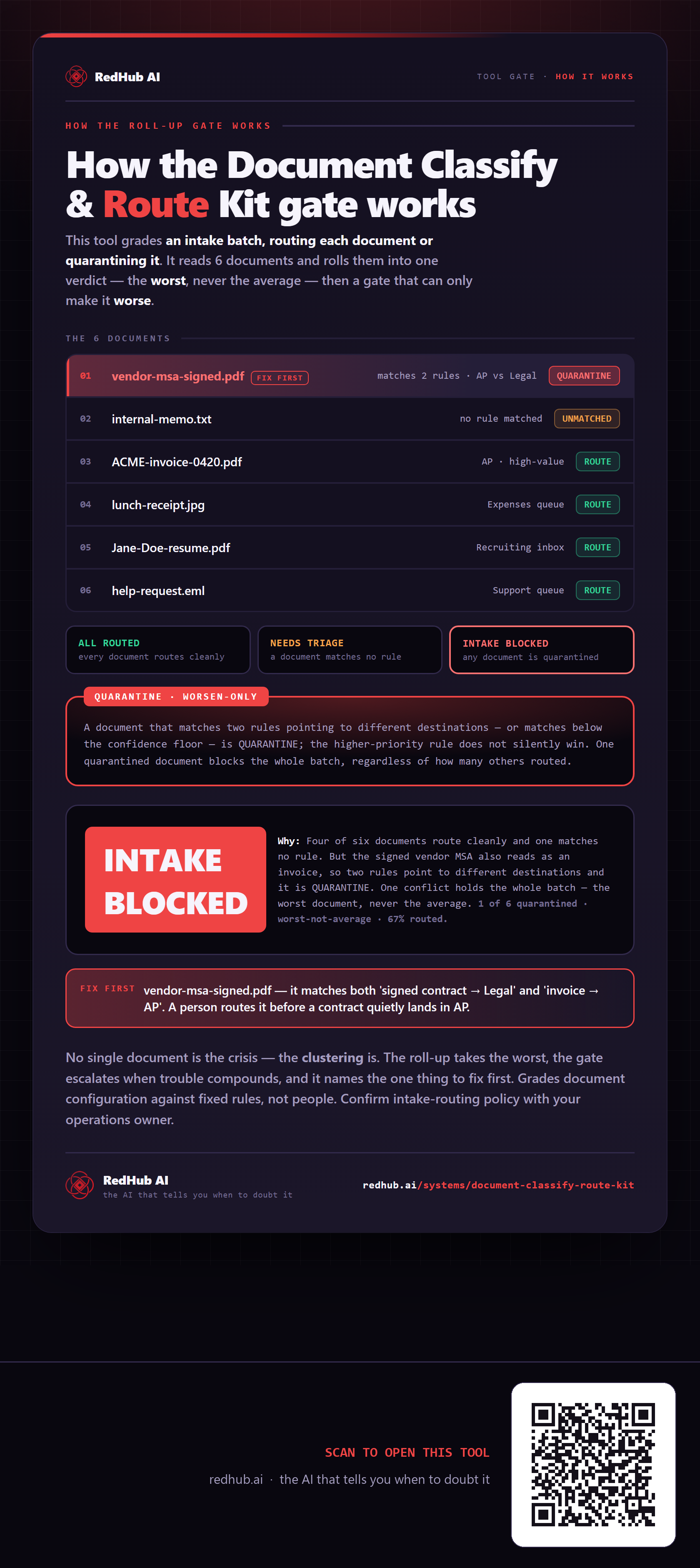
This is how Document Classify & Route Kit works. More diagrams in the Visual Field Guide.