Tool Gate · How it works
How the CRM Win-Back gate works
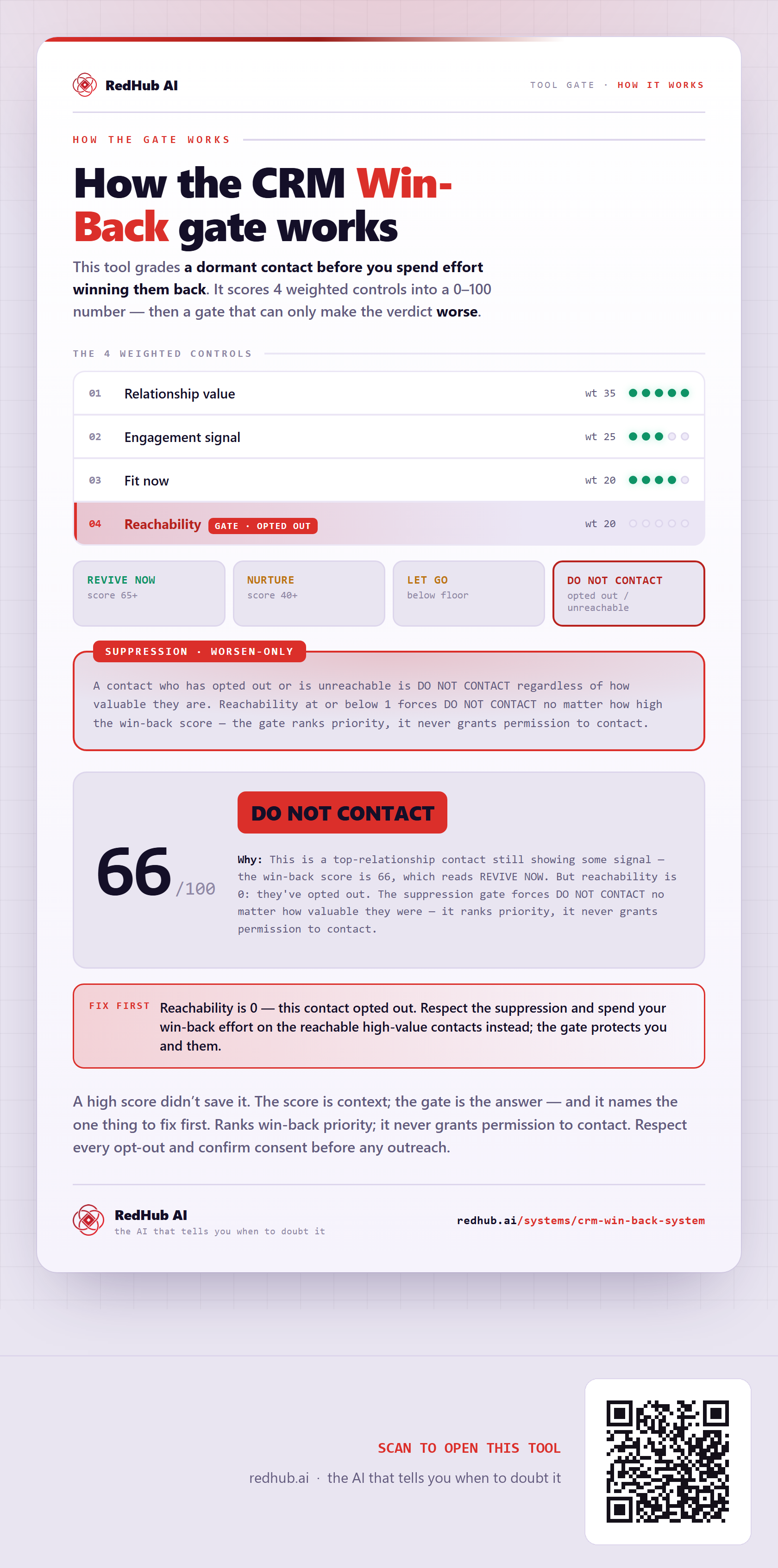
How the CRM Win-Back gate grades a dormant contact: four levers weighted into a 0–100 win-back score, behind a contact-permission precondition where an opted-out contact is DO NOT CONTACT regardless of value — which is how a top-relationship contact scoring 82 on a working channel is still DO NOT CONTACT, because contact permission is 0 and a working channel does not establish permission to contact.
How the gate works
This tool grades a dormant contact before you spend effort winning them back. Each control is marked from your own evidence and weighted into a 0–100 score — and then the score is run past two gates that can only make the verdict worse.
The 4 weighted controls
| Signal | Weight |
|---|---|
| Relationship value | 35 |
| Engagement signal | 25 |
| Fit now | 20 |
| Channel reachability | 20 |
| Total | 100 |
The verdict bands
A contact-permission mark of 0 (Opted out, do-not-contact, or another known prohibition) forces DO NOT CONTACT, whatever the win-back score.
A contact-permission mark of 1 (Permission or applicable outreach basis has not been verified) forces PERMISSION REVIEW REQUIRED, whatever the win-back score.
In the worked sample it scores 82 out of 100 and still reads DO NOT CONTACT — This is a top-relationship contact still showing some signal, on a channel that works — the win-back score is 82, which falls in PRIORITIZE FOR WIN-BACK REVIEW. But contact permission is marked 0: they opted out. The contact-permission precondition forces DO NOT CONTACT no matter how valuable they were. A working email address or phone number does not establish permission to contact. Marked fix first on this sample: Contact permission is 0 — this contact opted out. Honor the opt-out and spend your win-back effort on contacts with documented permission instead.
Common questions
Can something score well on the CRM Win-Back gate and still fail?
Yes. The weighted score is run past two worsen-only gates — the Permission: known prohibition and the Permission: not verified — that can only make the verdict worse. In the worked sample it scores 82 out of 100 and still reads DO NOT CONTACT, because this is a top-relationship contact still showing some signal, on a channel that works — the win-back score is 82, which falls in PRIORITIZE FOR WIN-BACK REVIEW. But contact permission is marked 0: they opted out. The contact-permission precondition forces DO NOT CONTACT no matter how valuable they were. A working email address or phone number does not establish permission to contact.
What is a worsen-only gate?
A rule that can only lower a verdict, never raise it. One gate-triggering gap overrides an otherwise-good score, because a single gate-triggering gap shouldn't hide behind a high average. Where something is short, the fix-first row names it — here, "Contact permission is 0 — this contact opted out. Honor the opt-out and spend your win-back effort on contacts with documented permission instead.".
Email and SMS rules vary by jurisdiction and channel. This result ranks marketing priority; it does not grant permission to contact.
Embed this diagram
Free to share and embed with attribution (CC BY 4.0) — keep the link to redhub.ai.
Interactive — renders the live diagram
<iframe src="https://redhub.ai/visuals/tool/crm-win-back-system.html" title="How the CRM Win-Back gate works — RedHub AI" width="760" height="1706" loading="lazy" style="border:0;width:100%;max-width:760px"></iframe>
<p style="font:14px/1.5 system-ui,sans-serif"><a href="https://redhub.ai/visuals/tool/crm-win-back-system">How the CRM Win-Back gate works</a> — by <a href="https://redhub.ai">RedHub AI</a>, the AI that tells you when to doubt it.</p>
Image + link — a static picture for any blog
<a href="https://redhub.ai/visuals/tool/crm-win-back-system"><img src="https://redhub.ai/visuals/tool/crm-win-back-system-share.png" alt="Diagram of the CRM Win-Back gate: four weighted levers, a contact-permission precondition, and a contact scoring 82 forced to DO NOT CONTACT because they opted out." width="760" loading="lazy" style="max-width:100%;height:auto;border-radius:16px"></a>
<p style="font:14px/1.5 system-ui,sans-serif"><a href="https://redhub.ai">RedHub AI</a> — the AI that tells you when to doubt it.</p>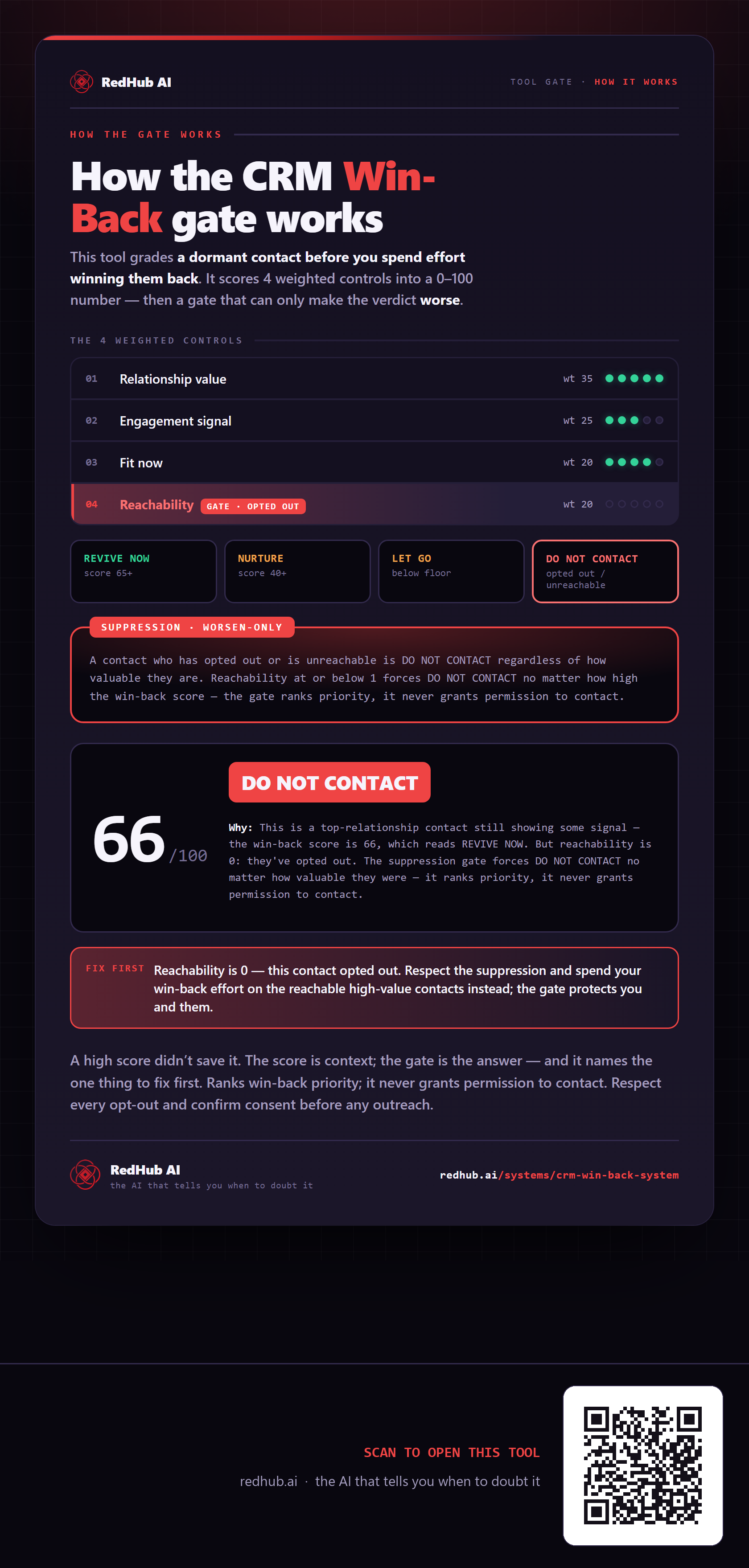
This is how CRM Win-Back System works. More diagrams in the Visual Field Guide.