Tool Gate · How it works
How the AI Search Brand Presence Diagnostic gate works
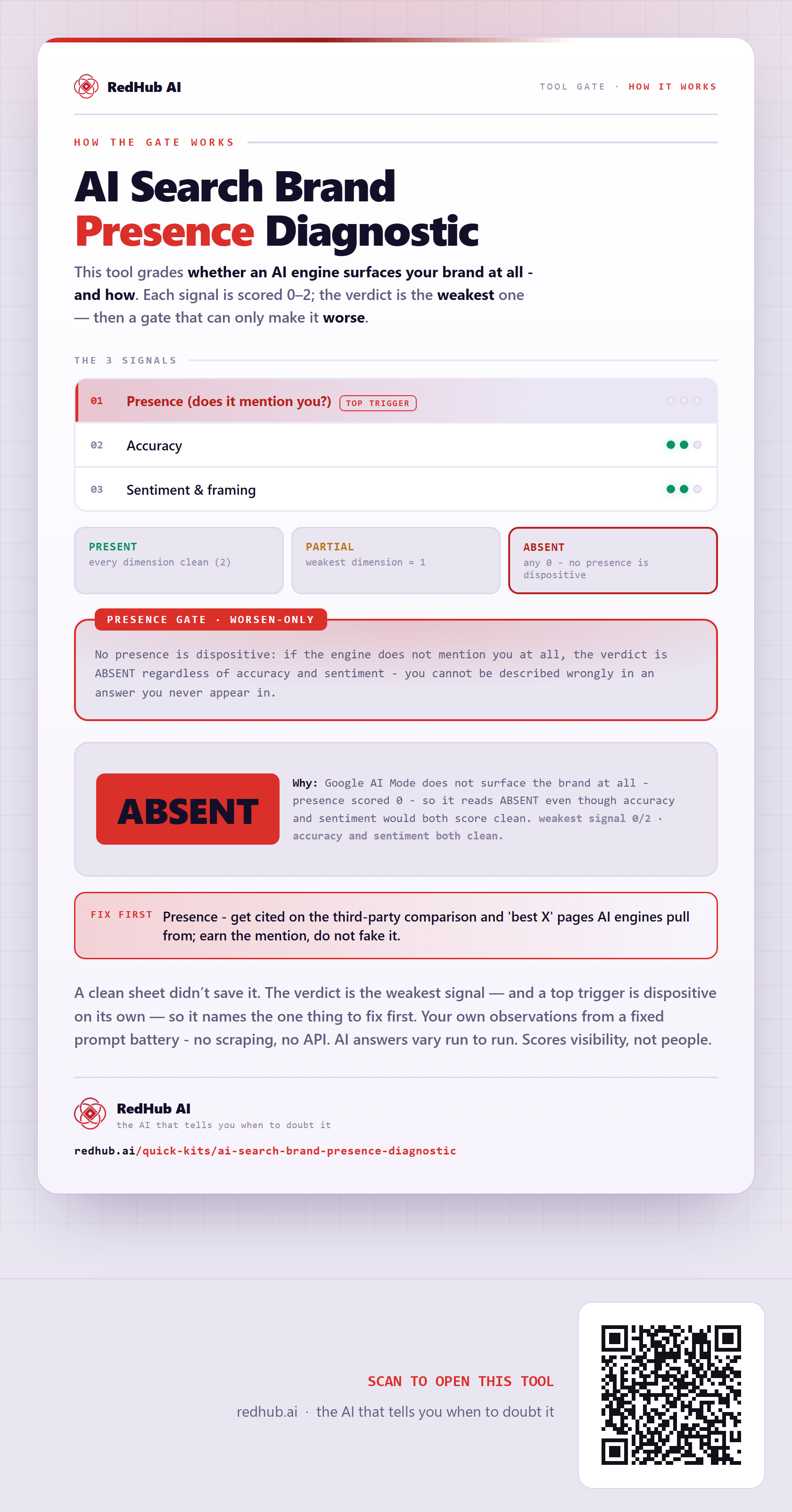
How the AI Search Brand Presence Diagnostic grades an engine: three dimensions with the verdict set by the weakest, and a presence gate where no mention forces ABSENT — because you can't be described wrongly in an answer you never appear in.
How the gate works
This tool grades whether an AI engine surfaces your brand at all - and how. Each of 3 signals is scored 0–2 from your own evidence; the verdict is the weakest one — and then it is run past a gate that can only make the verdict worse.
The 3 signals
| Signal | Role |
|---|---|
| Presence (does it mention you?) | top trigger |
| Accuracy | signal |
| Sentiment & framing | signal |
The verdict bands
No presence is dispositive: if the engine does not mention you at all, the verdict is ABSENT regardless of accuracy and sentiment - you cannot be described wrongly in an answer you never appear in.
In the worked sample accuracy and sentiment both clean (weakest 0) and it still reads ABSENT — Google AI Mode does not surface the brand at all - presence scored 0 - so it reads ABSENT even though accuracy and sentiment would both score clean. Marked fix first on this sample: Presence - get cited on the third-party comparison and 'best X' pages AI engines pull from; earn the mention, do not fake it.
Common questions
Can a profile look clean on the AI Search Brand Presence Diagnostic and still fail?
Yes. The verdict is the weakest of 3 signals, then run past a worsen-only gate — the Presence gate — that can only make it worse. In the worked sample accuracy and sentiment both clean (weakest 0) and it still reads ABSENT, because google AI Mode does not surface the brand at all - presence scored 0 - so it reads ABSENT even though accuracy and sentiment would both score clean.
What is a worsen-only gate?
A rule that can only lower a verdict, never raise it. One gate-triggering gap overrides an otherwise-clean sheet, because a single gate-triggering gap shouldn't hide behind everything that passed. Where something is short, the fix-first row names it — here, "Presence - get cited on the third-party comparison and 'best X' pages AI engines pull from; earn the mention, do not fake it.".
Your own observations from a fixed prompt battery - no scraping, no API. AI answers vary run to run. Scores visibility, not people.
Embed this diagram
Free to share and embed with attribution (CC BY 4.0) — keep the link to redhub.ai.
Interactive — renders the live diagram
<iframe src="https://redhub.ai/visuals/tool/ai-search-brand-presence-diagnostic.html" title="How the AI Search Brand Presence Diagnostic gate works — RedHub AI" width="760" height="1476" loading="lazy" style="border:0;width:100%;max-width:760px"></iframe>
<p style="font:14px/1.5 system-ui,sans-serif"><a href="https://redhub.ai/visuals/tool/ai-search-brand-presence-diagnostic">How the AI Search Brand Presence Diagnostic gate works</a> — by <a href="https://redhub.ai">RedHub AI</a>, the AI that tells you when to doubt it.</p>
Image + link — a static picture for any blog
<a href="https://redhub.ai/visuals/tool/ai-search-brand-presence-diagnostic"><img src="https://redhub.ai/visuals/tool/ai-search-brand-presence-diagnostic-share.png" alt="Diagram of the AI Search Brand Presence Diagnostic: presence, accuracy and sentiment dimensions, a presence gate, and a sample reading ABSENT with accuracy and sentiment clean." width="760" loading="lazy" style="max-width:100%;height:auto;border-radius:16px"></a>
<p style="font:14px/1.5 system-ui,sans-serif"><a href="https://redhub.ai">RedHub AI</a> — the AI that tells you when to doubt it.</p>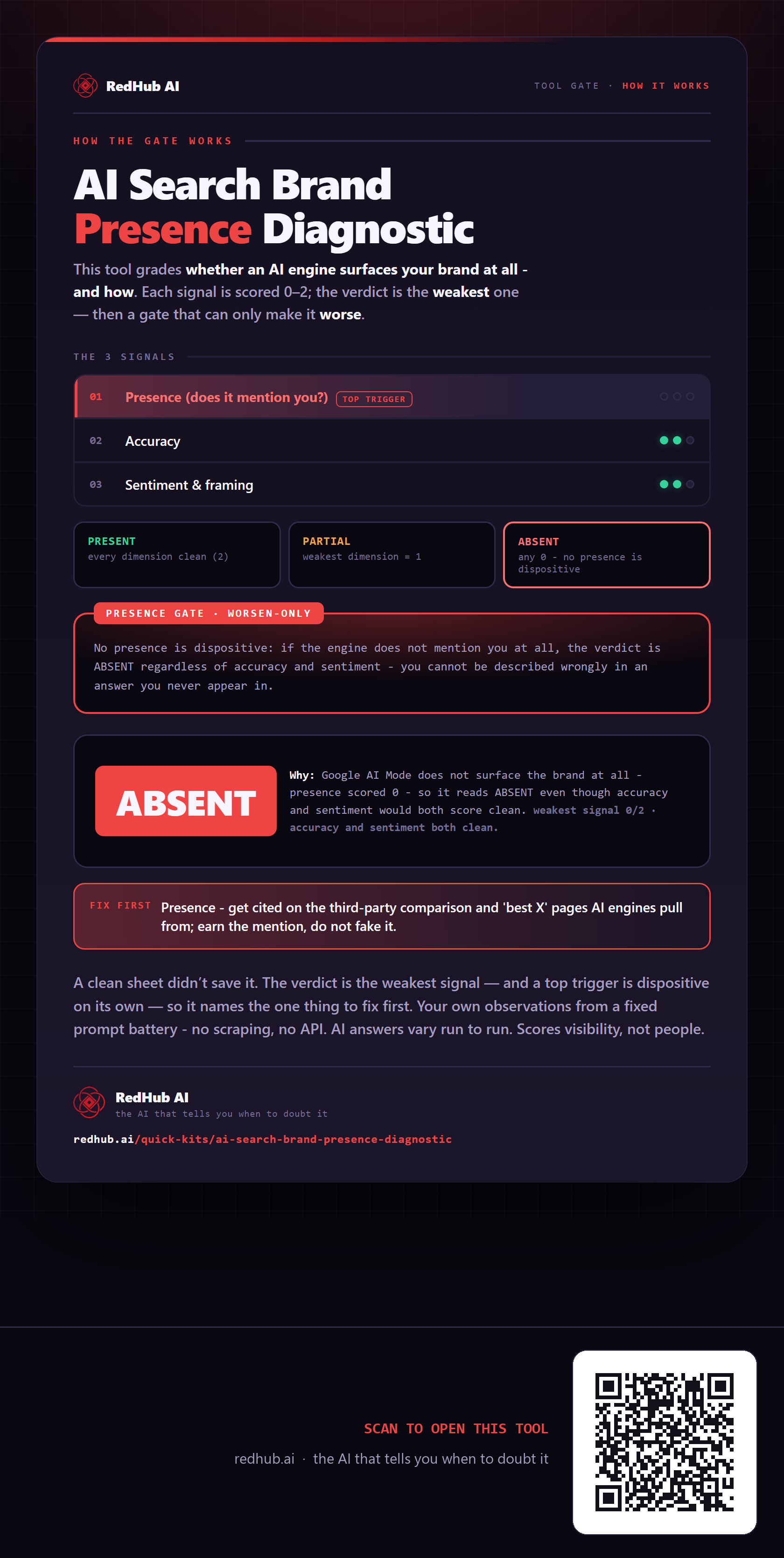
This is how AI Search Brand Presence Diagnostic works. More diagrams in the Visual Field Guide.