The Supabase RLS Read-Off
Every table says RLS is enabled. That is a badge, not an answer. This reads off what anyone can actually do — one row per table, and per operation.
Your database is reachable from the browser by design, using a key that is meant to be public. Row level security is the only thing standing between the two.
one-time · instant download · yours to keep
01 — The problem
The badge is green. That tells you almost nothing.
There is no server in the middle
Your app talks to the database straight from the browser, using a key that is published on purpose. Nothing sits in between filtering what comes back. The rules on the table are the filter.
It is not one switch
Enabling row level security is one switch per table. What anyone can actually do is a separate rule per operation. Read can be scoped to the owner while another operation's policy admits everyone.
And a rule can do nothing
A policy that does not compare the row to the signed-in user lets everybody through. The badge is on, a policy exists, and the table is still open. Nothing on your dashboard shows you that.
02 — What's inside
One project question, two per table, two per operation.
The project question
Is the secret key reachable from the browser? Answer yes and every row is rewritten, because that key ignores every rule you are about to write down.
Two per table
Can a row belong to one user and not another, and what does the badge beside the table say? Yes, no, or you looked and could not tell.
Two per operation
For read, insert, update and delete separately: is there a policy, and does it compare the row to the signed-in user or let anybody through?
Every one of those is something you read off a screen. You are not rating your project out of ten, and nothing here needs you to already know the vocabulary.
03 — The standard
Four rules it will not bend for you.
One key overrides everything else on the sheet
The secret key bypasses row level security by design. If it is reachable from the browser, your policy matrix stops meaning anything however carefully you built it — every row is rewritten, the verdict reads PROJECT OPEN, and the thing to fix first stops being a table and becomes the key. Say you cannot tell and it is scored as exposed.
An answer you could not find is scored on the unsafe side — read which side that is
It is not the same for every question. An unfound policy is scored as one that exists and admits everyone, because a policy that exists can be permissive while no policy at all denies everybody. Here the absence is the safe state, which is the opposite of what most checklists assume.
A policy that admits everyone is not protection
Row level security on, a policy present, and anybody can still read the table. That row reads OPEN TABLE. An update or delete is the one exception: it can only reach the rows the read policy shows, so in the worked example the delete policy on orders admits everyone and still reads LOCKED. Widen that read policy and the delete opens with it.
Public to read is a choice. Public to write never is.
PUBLIC ON PURPOSE only ever appears on a read of data that is not personal — your published prices, your articles. Those rows are never counted against you. But anyone being able to insert, update, or delete a public table is not something anybody chooses, so every write has to be earned.
04 — How it works
An afternoon with your dashboard open.
01
Search your front-end code and your build output for the key that is not the public one. Answer the project question honestly, including if the answer is that you cannot tell.
02
List your tables. For each: can a row belong to one user and not another, and what does the badge say.
03
For every table, four rows — read, insert, update, delete. Is there a policy, and does it compare the row to the signed-in user.
04
Take the fix-first row to whatever you build with. Fix it, read that row again, watch the verdict move.
05 — What you'll see
The worked example, live.
Eight tables, thirty-two rows. Flip the key switch first — one answer, and every carefully-scoped policy underneath it stops counting. Then look at orders: badge on, a delete policy that admits everyone, and still LOCKED, because each person can only read their own orders and a delete reaches nothing it cannot read.
Try it on the worked example
Eight tables, thirty-two rows. Change anything and watch it move. Start with the switch below — it is one question about the whole project, and it overrides everything else on this page.
Is the service-role key reachable from the browser?
That key ignores every policy below. “Can't find” is scored as yes.
profiles
LOCKED| read | LOCKED the read policy is scoped to the signed-in owner | ||
| insert | LOCKED the insert policy is scoped to the signed-in owner | ||
| update | LOCKED the update policy is scoped to the signed-in owner | ||
| delete | LOCKED the delete policy is scoped to the signed-in owner |
orders
LOCKED| read | LOCKED the read policy is scoped to the signed-in owner | ||
| insert | LOCKED the insert policy is scoped to the signed-in owner | ||
| update | LOCKED the update policy is scoped to the signed-in owner | ||
| delete | LOCKED the delete policy admits everyone, but the read policy limits it to the signed-in owner's rows - widen the read policy and this opens |
messages
OPEN TABLE| read | OPEN TABLE row level security is off, and the public key can read this table | ||
| insert | OPEN TABLE row level security is off, and the public key can insert this table | ||
| update | OPEN TABLE row level security is off, and the public key can update this table | ||
| delete | OPEN TABLE row level security is off, and the public key can delete this table |
documents
OPEN TABLE| read | OPEN TABLE you could not find whether row level security is on, so it is scored as off, and the public key can read this table | ||
| insert | OPEN TABLE you could not find whether row level security is on, so it is scored as off, and the public key can insert this table | ||
| update | OPEN TABLE you could not find whether row level security is on, so it is scored as off, and the public key can update this table | ||
| delete | OPEN TABLE you could not find whether row level security is on, so it is scored as off, and the public key can delete this table |
plans
LOCKED| read | PUBLIC ON PURPOSE the read policy admits everyone - which is what you wanted | ||
| insert | LOCKED row level security is on and there is no insert policy, so nobody can insert this table | ||
| update | LOCKED row level security is on and there is no update policy, so nobody can update this table | ||
| delete | LOCKED row level security is on and there is no delete policy, so nobody can delete this table |
blog_posts
OPEN TABLE| read | PUBLIC ON PURPOSE row level security is off, and the public key can read this table - which is what you wanted | ||
| insert | OPEN TABLE row level security is off, and the public key can insert this table | ||
| update | OPEN TABLE row level security is off, and the public key can update this table | ||
| delete | OPEN TABLE row level security is off, and the public key can delete this table |
api_keys
LOCKED| read | LOCKED the read policy is scoped to the signed-in owner | ||
| insert | LOCKED the insert policy is scoped to the signed-in owner | ||
| update | LOCKED row level security is on and there is no update policy, so nobody can update this table | ||
| delete | LOCKED the delete policy admits everyone, but the read policy limits it to the signed-in owner's rows - widen the read policy and this opens |
audit_log
LOCKED| read | LOCKED the read policy is scoped to the signed-in owner | ||
| insert | LOCKED the insert policy is scoped to the signed-in owner | ||
| update | LOCKED row level security is on and there is no update policy, so nobody can update this table | ||
| delete | LOCKED row level security is on and there is no delete policy, so nobody can delete this table |
Verdict
GAPS IN THE POLICIES
Row level security is doing some of the work and not all of it.
Fix first documents / delete — you could not find whether row level security is on, so it is scored as off, and the public key can delete this table
11 of 32
rows anyone can reach
34% of the rows listed
0
badge says RLS is on, table still open
a green badge is not an answer
0
policies that exist and admit everyone
you did the work; it does nothing
2
told to leave alone
public reads of non-personal data
None of the four numbers above changes the verdict. Rows that read PUBLIC ON PURPOSE are never counted against you.
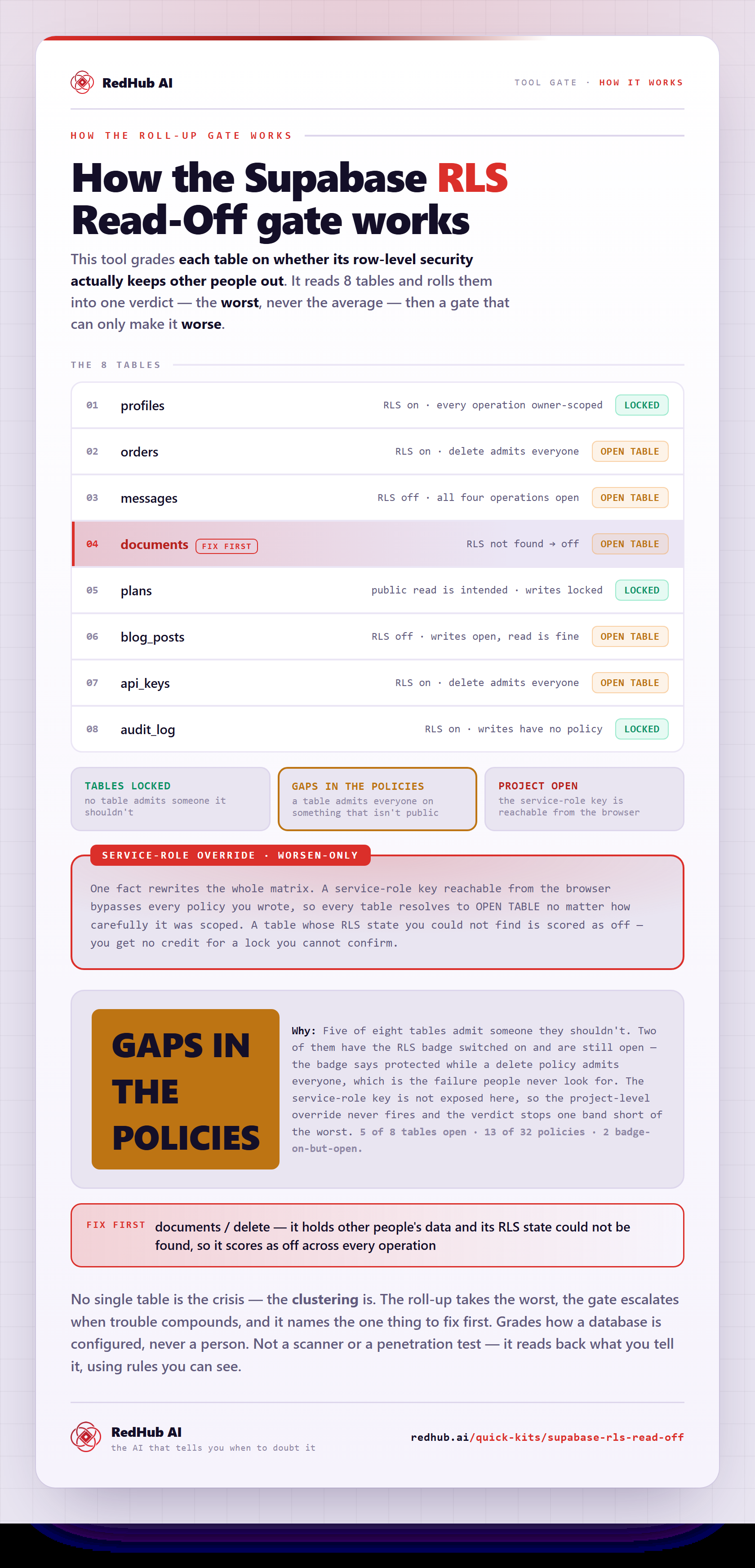
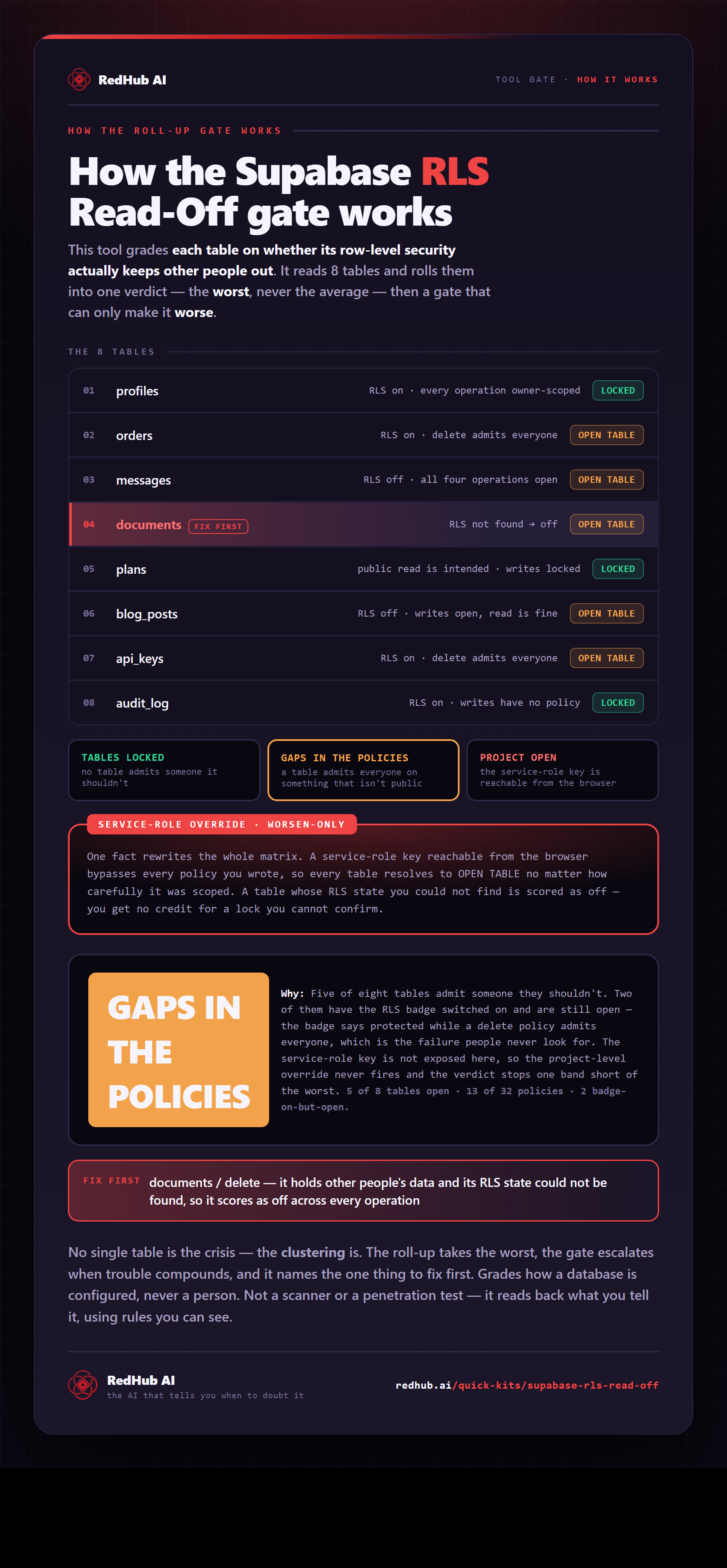
How the gate works, in one image
See how eight tables roll into one verdict - including a delete policy that admits everyone and still reads LOCKED.
View & embed the full diagramThis is the live engine. 20 tables and 80 operation rows, in a file you keep Start Here tab that tells you where to look for each answer Dashboard with the verdict, the counts, and what to fix first
Get the kit — $6906 — Who it's for
For the person whose backend was chosen for them.
Buy this if
- You have a database behind an app you built with an AI tool, and real people are signing in.
- You have seen the phrase row level security and clicked past it.
- You were told to turn RLS on, you turned it on, and nobody said what came next.
- You cannot say what would happen if a signed-in user asked for somebody else's row.
Skip it if
- You write database policies for a living. There is nothing here you do not know.
- Your project has no database, or no accounts.
- You want something that connects to your project and probes it — this is a read-off, not a scanner.
What this is not
It connects to nothing and never sees your database, your keys, or your code — which matters here more than most places, since the thing you are checking is whether your credentials are exposed. It grades how a project is configured, never a person. It is not a scanner, a penetration test, or a security audit, and it is not legal advice. It reads back what you tell it, using rules you can see in the formulas.
07 — Works alongside
Where this sits.
This one is the database layer. The three below are the idea it comes from, and the two places to take what you find.
The Browser Line Read-Off
$59The keystone of the same line. Anything the browser decides, your user decides — that idea applied to every check your app makes, not only the database.
Vibe-Coded App Pre-Launch Security Gate
$79The launch-moment go/no-go across six controls. Run this read-off first so you can answer the database half of it from evidence rather than hope.
Vibe-Coded App Hardening Kit
$79The production-readiness audit and antipattern library. Where you go once you know which rows need fixing and want the fixes written out.
08 — Common questions
Before you buy.
No. It never sees your database, your keys, or your code. You open your own dashboard, read what it says, and type it into a spreadsheet. That matters more here than almost anywhere else — the thing you are checking is whether your credentials are exposed, and handing a stranger's scanner a live connection to find out is a strange way to answer that question.
That is the question this kit exists for, and the answer is usually no. Enabling row level security is one switch per table; what anyone can actually do is decided by a separate policy per operation. A table can have the badge on and a read policy scoped correctly, and still carry a write policy that admits everyone. An insert policy like that reads OPEN TABLE. An update or delete policy like that only reaches the rows the read policy shows, so in the worked example the orders delete policy admits everyone and still reads LOCKED — and it opens the day someone widens the read policy.
Because a policy can admit everybody. If the rule attached to a read or an insert does not compare the row to the signed-in user, it lets anyone through, and the fact that you wrote it changes nothing. That row reads OPEN TABLE even though the badge is green and a policy is present. You did the work; it does nothing. An update or delete is held to the rows the read policy shows, so the same rule there reads OPEN TABLE only when the read policy admits everyone too.
Row level security switched on with no policy for an operation denies everybody — which is safe, and may also mean that feature is quietly broken for your real users too. It is worth knowing which one you have. Those rows are flagged and counted separately so you can go and check rather than assume.
Because one key overrides everything else on the sheet. The secret key bypasses row level security entirely by design, so if it is reachable from the browser your policy matrix stops meaning anything, however carefully you built it. Answer that question yes and every row is rewritten and the verdict reads PROJECT OPEN — and the thing to fix first stops being a table and becomes the key.
No. Anyone reading your published prices or your articles is a choice you made, and those rows are never counted against you. But it only ever appears on a read of data that is not personal — anyone being able to insert, update, or delete a public table is not a choice anybody makes on purpose, so every write has to be earned. The worked example ships with two tables holding the same kind of public data, one configured correctly and one not.
Get the Read-Off
Find out what anyone can actually reach.
- One .xlsx — Start Here, Tables, Read-Off, Dashboard
- 20 tables and 80 operation rows, live formulas
- A worked eight-table example, already filled in
- Offline forever — nothing uploaded, no access granted