The Browser Line Read-Off
Your app makes a dozen decisions about what people are allowed to do. Some of those checks are real. Some of them are decoration. This tells you which is which — without connecting to anything.
Anything the browser decides, your user decides. The browser is on their computer. They can open it, read it, and change it.
one-time · instant download · yours to keep
01 — The problem
You shipped a login screen. Nobody told you what it does.
The prototype works
You described an app and got one. It has accounts, a database, and a checkout. Everything you click does what you expected it to do.
The questions start later
Someone asks whether a user can see another user's records. You do not know. Not because you are careless — because nobody ever explained where a check is supposed to live.
Neither option helps
A course teaches you to build somebody else's app. A scanner tells you what is broken without telling you why. Both leave you exactly as dependent as before.
02 — What's inside
One spreadsheet. Three questions per check.
What it guards
What goes wrong if someone gets past this check — money, another person's data, or nothing at all.
Where it runs
Whose computer the check happens on. The browser, your server, your database — or you looked and could not tell.
What it decides from
Where the check gets the number it compares. It looks the value up itself, or the browser sent it along with the request.
None of the three is a judgement call. You are not rating your app out of ten. You are reading something off a screen and typing it in, and the spreadsheet does the rest.
03 — The standard
Three rules it will not bend for you.
An answer you could not find is scored on the unsafe side
You do not get credit for a wall you cannot find. If you mark a check cant_find, it is treated as though it runs in the browser. A blank answer is scored the same way: on a row with a check ID, an empty cell is never read as safe. That will make your result look worse than it may really be, and that is deliberate — the fix is to go and find the answer. The dashboard counts these separately so you can see how much of your result is broken versus not yet looked at.
Server-side is not the same as safe
A check can run on your server and still take the browser's word for the thing it is checking. If the server reads the amount out of the request the browser sent, moving the code did not move the trust. Those rows read TRUSTS THE BROWSER even though their location is server-side — which is exactly what a where-does-it-run checklist waves through.
Some checks belong in the browser and are told to stay there
Hiding a menu item from someone with no use for it is a good thing to do in the browser. Those rows read FINE IN THE BROWSER and are never counted against you. A tool that flags every browser-side check as a hole is training you to ignore it.
04 — How it works
An afternoon, and you will never un-see it.
01
List every check your app makes. Any moment it decides yes or no: can this person sign in, can they open this record, what do we charge them.
02
Answer the three questions for each one, using the plain-words guide on the Start Here tab. Answer cant_find honestly where you have to.
03
Read the destination beside each row, and the one-line reason it landed there. That reason is the teaching — it names the rule that decided.
04
Take the Dashboard's fix-first row to whatever you build with and fix that one. It ranks money first, and within that it puts a row with an answer you could not find or left blank ahead of a confirmed one, because you cannot fix what you cannot locate. Re-run the sheet. Watch the verdict move.
05 — What you'll see
The worked example, live.
Ten checks from a typical first app. Two pairs in it differ by a single answer and land in opposite places — C-02 and C-04 are both money checks running on the server, and only one of them is real.
Try it on the worked example
Ten checks from a typical first app. Change any answer and watch the destination move. Nothing here is a judgement call — each column is something you go and look at.
| Check | Guards | Runs on | Decides from | Destination |
|---|---|---|---|---|
C-01 Signed in before the dashboard opens | ENFORCED the app decides it server-side | |||
C-02 Amount charged at checkout | TRUSTS THE BROWSER runs server-side but decides from a value the browser sent | |||
C-03 Prices shown on the pricing page | FINE IN THE BROWSER browser-side, and it only guards this user's own convenience | |||
C-04 Discount code is valid and unused | ENFORCED the app decides it server-side | |||
C-05 Admin panel access | TRUSTS THE BROWSER runs server-side but decides from a value the browser sent | |||
C-06 Only the owner can open a saved record | TRUSTS THE BROWSER runs in the browser and guards other people's data | |||
C-07 Only the owner can edit a saved record | ENFORCED the app decides it server-side | |||
C-08 Free-tier usage limit | TRUSTS THE BROWSER runs in the browser and guards money | |||
C-09 Which nav items are visible | FINE IN THE BROWSER browser-side, and it only guards this user's own convenience | |||
C-10 Upgrade banner hidden for paying users | FINE IN THE BROWSER browser-side, and it only guards this user's own convenience |
Verdict
NO LINE
Something that guards money takes the browser's word for it.
Fix first C-02 — runs server-side but decides from a value the browser sent
4 of 10
trust the browser
40% of the checks listed
2
would look fine on a location-only read
server-side, and still exposed
2
scored unsafe because you could not find it
go and look; these may be better
3
told to leave alone
browser-side on purpose
None of the four numbers above changes the verdict. Checks that read FINE IN THE BROWSER are never counted against you.
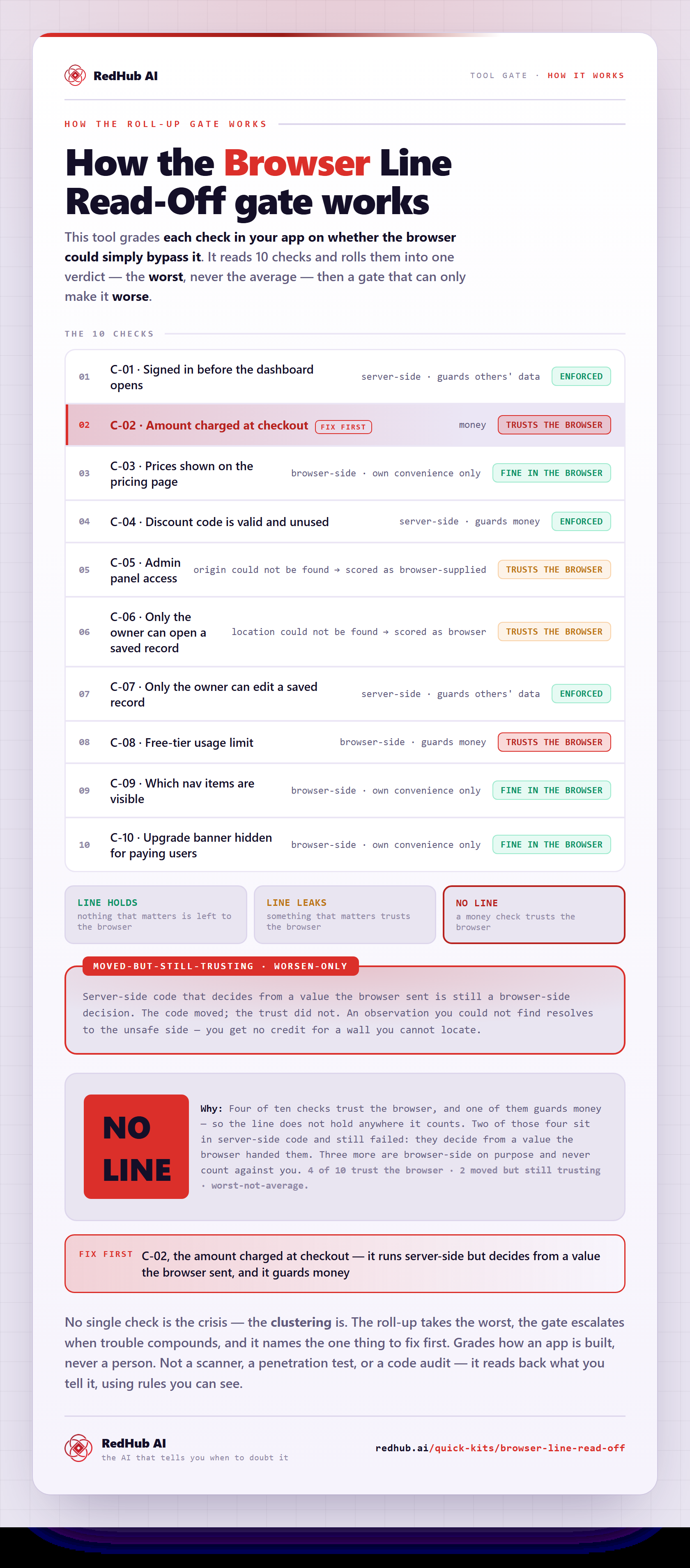
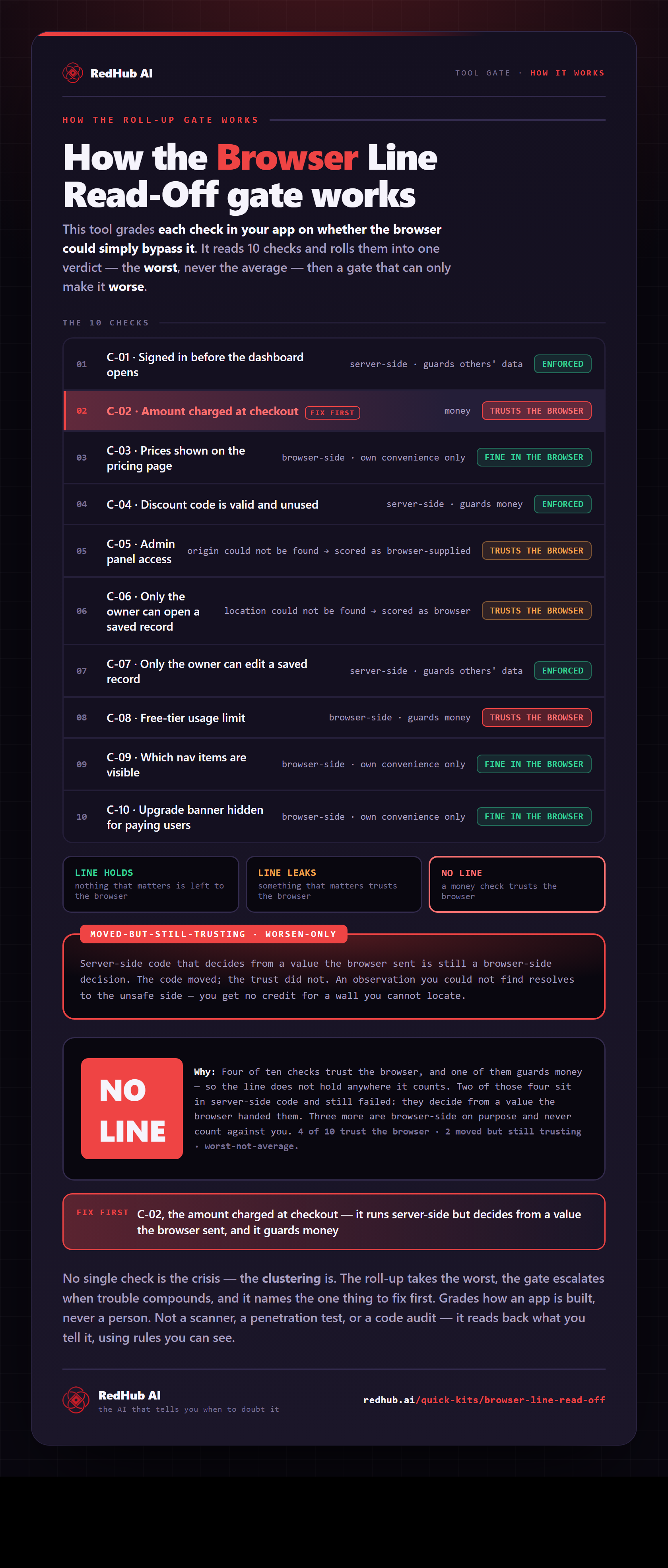
How the gate works, in one image
See how ten checks roll into one verdict - and why server-side code that decides from a browser value still counts as trusting the browser.
View & embed the full diagramThis is the live engine. 30 rows, the same formulas, in a file you keep Start Here tab that explains every answer in plain words Dashboard with the verdict, the counts, and what to fix first
Get the kit — $5906 — Who it's for
Built for the person who did not plan to become a backend engineer.
Buy this if
- You built something real with an AI tool and people are about to use it.
- You are about to take money through it and want to know what that changes.
- You have read the phrase “server-side check” and could not have explained it.
- Someone asked whether your users can see each other's data and you paused.
Skip it if
- You write backend code for a living. You already know all of this.
- Your project is a landing page with no accounts and no data.
- You want something that plugs into your repository and finds bugs — this is a read-off, not a scanner.
What this is not
It scans nothing, connects to nothing, and never sees your code, your keys, or your database. It grades how an app is built and never a person. It is not a scanner, a penetration test, or a code audit, and it is not legal advice — it reads back what you tell it, using rules you can see in the formulas.
07 — Works alongside
Where this sits.
This one teaches the idea and makes you go and look. The three below act on what you find.
Vibe-Coded App Pre-Launch Security Gate
$79The launch-moment go/no-go across six controls. This read-off teaches one of the things that gate is asking about; run it first, then take the gate.
Vibe-Coded App Hardening Kit
$79The production-readiness audit and antipattern library. Where you go once you know which rows need fixing and want the fixes written out.
Non-Human Identity & Credential Sprawl Gate
$79The credentials layer — the keys, tokens and service accounts themselves. This read-off asks where a decision is made; that one asks who is allowed to make it.
08 — Common questions
Before you buy.
No. It connects to nothing, uploads nothing, and never sees your code, your keys, or your database. You open your own project, look at the things the kit tells you to look at, and type what you find into a spreadsheet. That is the whole mechanism. A scanner has to be trusted with access; a read-off does not, which matters when the thing you are checking is whether your secrets are exposed.
That is who it is built for. There are three questions per check and none of them is a judgement call. What goes wrong if someone gets past this — money, another person's data, or nothing. Whose computer does the check happen on. Where does the check get the number it compares. The Start Here tab tells you what each answer means in plain words, and if you look and genuinely cannot tell, there is an answer for that too.
It is scored on the unsafe side, on purpose. You do not get credit for a wall you cannot find. That will make your result look worse than it might really be, and that is the correct behaviour — the fix is to go and find the answer, which is the entire point of the exercise. The dashboard counts these separately so you can see how much of your result is genuinely broken versus not yet looked at.
No. It is a real answer that means leave it alone. Hiding a menu item from someone who has no use for it, or not showing an upgrade banner to a paying customer, belongs in the browser and always has. A tool that flags every browser-side check as a hole trains you to ignore it. The sample ships with three checks the read-off tells you to leave exactly as they are.
Not necessarily, and this is the part most checklists miss. A check can run on your server and still take the browser's word for the thing it is checking — if your server reads the price out of the request the browser sent, moving the code did not move the trust. Those rows read TRUSTS THE BROWSER even though their location is server-side. In the worked example, two of the four exposed checks are server-side and would pass a where-does-it-run checklist.
Different job. The Pre-Launch Security Gate is a go/no-go you run at the launch moment across six controls; the Hardening Kit is the library of fixes. This teaches you one idea and makes you go and look — it is what those two are asking about, in a form you can work through before you know the vocabulary. Buy this first if the words in the other two do not mean anything to you yet.
Get the Read-Off
Find out which of your checks are real.
- One .xlsx — Start Here, Dashboard, Read-Off
- 30 rows with dropdowns and live formulas
- A worked ten-check example, already filled in
- Offline forever — nothing uploaded, no access granted