Capacity & Utilization Planner
See your team's real billable utilization, the bench you can still sell, and whether the right move is to sell, hire, or turn work away.
TL;DR
Most billable teams either over-hire into a half-empty bench or quietly grind people past capacity. This kit shows utilization vs. your target, the sellable bench, and a clear verdict — and checks whether you can take a new client before you say yes. The example team sits at 70% with 28 sellable hours a week on the table.
instant download · .xlsx · 30-day guarantee
The problem
You're guessing at capacity — and it's expensive both ways.
Without a clear utilization number, two mistakes happen on repeat. You hire because everyone feels busy — and the new seat just lowers utilization. Or you keep saying yes until the team is underwater, work slips, and good people burn out.
The fix is knowing your real billable utilization and the bench you have left. Then sell, hire, and saying no all become decisions instead of reflexes.
average billable utilization in 2025 — below the ~75% target
added per year for every 5 points of utilization on a single $100/hr seat
higher profit for firms that actively manage utilization and staffing
where the example team sits — with 28 sellable hours a week unused
Sources: NetSuite (2025 billable utilization benchmark); TimeRewards (utilization value per seat; profit lift from staffing classification).
What's inside
Four tabs, one clear capacity call.
One .xlsx — open it in Excel, Google Sheets, or Numbers and see your team today.
Team Capacity
List each person's weekly capacity, hours currently booked, and billable rate. Set one target utilization, and the sheet returns each person's utilization, the bench they have left to sell, their weekly billable revenue, and a flag.
Team dashboard
Team utilization vs. your target, total sellable bench in hours, weekly and annual billable revenue, and the revenue you'd add by filling the bench — topped with a single verdict: sell, hire, or turn work away.
New Work Check
Before you say yes: enter a prospective engagement's weekly hours and rate. It shows whether the team can absorb it inside your target, only by running hot, or not at all — and what hiring or subcontracting it would take.
Playbook & scripts
When to sell, hire, or raise rates, plus copy-paste scripts: a fill-the-bench outreach, an honest we're-at-capacity note, a subcontractor brief, and AI prompts to plan staffing or draft the capacity note.
How the verdict works
Utilization sets the move
The kit compares your team's booked hours to capacity and to your target, and turns the gap into one call:
- Capacity to fill — below target — sell and fill the bench, don't hire
- Healthy — at target — room for select new work; plan the next hire
- At / over capacity — 90%+ — hire, subcontract, or turn work away
And the New Work Check answers the hard one live: take it, take it but run hot, or you can't absorb it without more capacity.
The built-in example · 6-person team
Verdict: sell, don't hire
Try it
See your team's real utilization
Team utilization
71%
Sellable bench
24
hrs / week
Weekly billable
$22,560
Bench upside / yr
$183,022
| Person | Capacity | Booked | Rate | Util | Flag |
|---|---|---|---|---|---|
| 85% | At/above target | ||||
| 75% | At/above target | ||||
| 50% | Has capacity | ||||
| 105% | Overloaded | ||||
| 40% | Has capacity |
This is the live engine. Your numbers here reset when you reload. The kit saves your whole team, tracks utilization over time, and includes the sell-hire-or-turn-away playbook plus the full New Work Check.
Get the kit — $49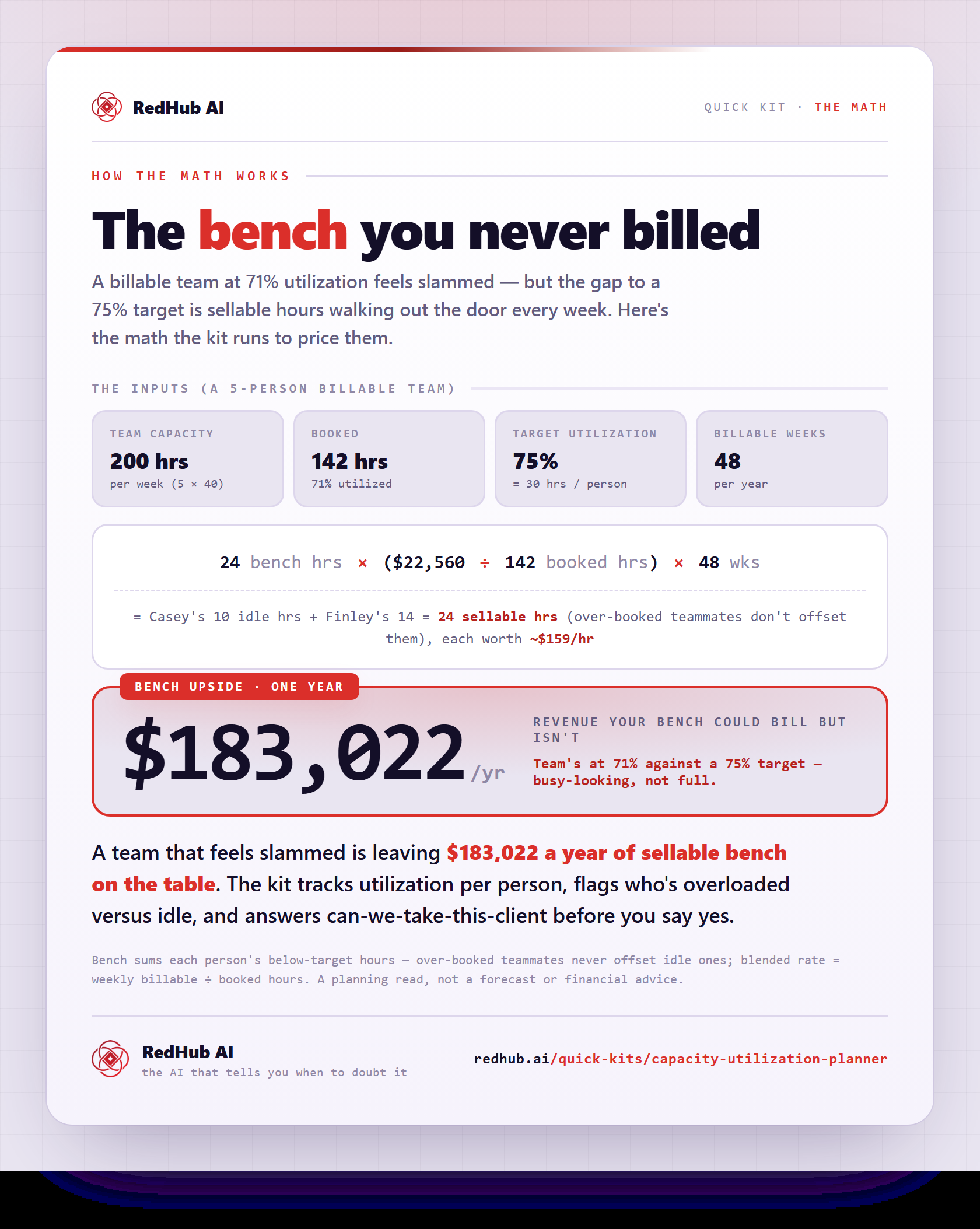
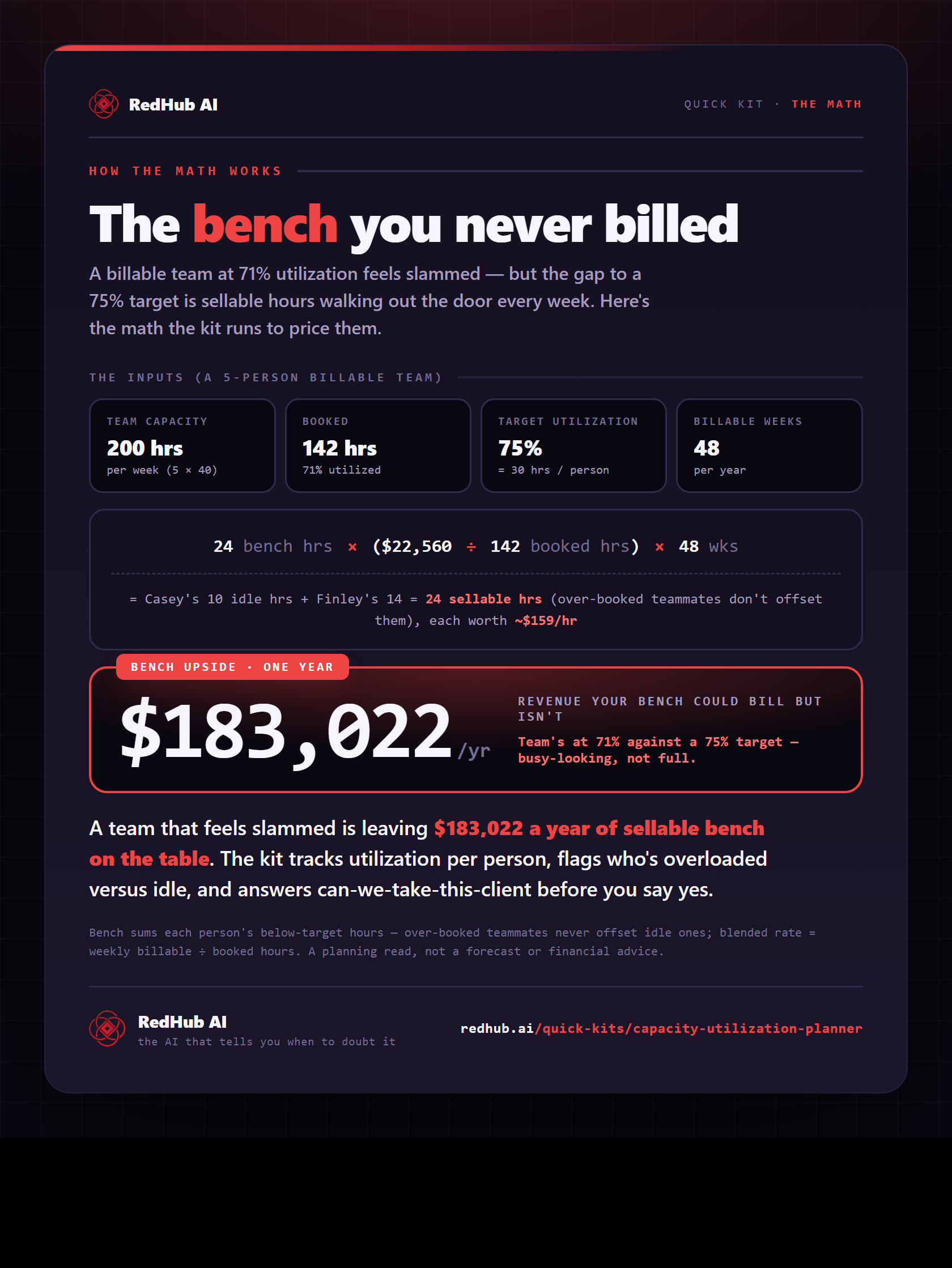
The math behind it, in one image
See the price of the bench: 24 sellable hours/week × blended rate × 48 weeks = $183,022/yr of capacity walking out the door.
See the full calculationWhy it's different
100% isn't the target
Sell before you hire
Below target, it points you to fill the bench, not add a seat — because hiring into slack just lowers utilization and profit.
Protects your people
It treats full capacity as a ceiling, not a goal, and flags overload — so 'we're busy' doesn't quietly become burnout.
A tool, not advice
It does the math on your own numbers and shows the trade-off. You make the call — it's not a substitute for your accountant.
“Everyone's slammed” and “we're at capacity” are not the same sentence. One is a feeling; the other is a number.
Who it's for
Clear about the lane. No inflated promises.
Built for you if…
- You run an agency, studio, or consultancy that bills for people's time
- You're weighing a hire — or a big new client — and want the math first
- You suspect you're under-booked, over-booked, or both in different corners
- You'd rather decide from utilization than from how busy everyone feels
Not for you if…
- Your team isn't billed by time or capacity at all
- You need live resource-scheduling software across many projects
- You can't estimate booked hours per person even roughly
Pairs well with
Plan the capacity, then price the gaps.
Once you see who’s over- and under-loaded, the Cost of Vacancy Calculator puts a daily dollar figure on the roles you’re missing, the Meeting Cost Calculator reclaims the hours lost to standing meetings, and the Profit Leak Finder flags the clients eating more capacity than they’re worth.
Common Questions
The questions agency leads actually ask before deciding to sell or hire.
It's a one-time spreadsheet for billable teams — agencies, studios, consultancies. You enter each person's capacity, booked hours, and rate; it calculates billable utilization, the bench you can still sell, your billable revenue, and a verdict on whether to sell, hire, or turn work away. It also includes a check for whether you can take on a specific new engagement.
One .xlsx that opens in Microsoft Excel, Google Sheets, or Apple Numbers — no subscription, no login. It's pre-loaded with a six-person example team so it makes sense the moment you open it; clear it and enter your own.
Per person: weekly capacity hours, the hours currently booked to clients, and their billable rate. Plus two global settings — your target utilization and your billable weeks per year. No timesheet integration or admin access required.
It's the answer to 'can we take this client?' You enter the engagement's weekly hours and rate, and it tells you whether the team can absorb it within your target utilization, only by running above target, or not at all — plus the added revenue and the extra capacity (in FTE) you'd need if it doesn't fit.
No. It only points to hiring when you're genuinely at or over capacity. When you're below target, it tells you to sell and fill the bench first — because hiring into a half-full bench just lowers utilization and profit. It's a planning tool, not financial advice; the decision is yours.
The Planner is the math layer — utilization, bench, hire/sell decisions. The Agency Operators Skills Pack ($89) is the Claude skill layer — installable skills for status reports, scope creep, kickoff decks, renewals, and the day-to-day comms that turn the Planner's verdict into action. Many agency operators run both: decide with the Planner, execute with the Pack.
Yes — a 30-day money-back guarantee. If it doesn't give you a clearer read on your capacity, request a refund within 30 days.
Get the kit
Know your capacity this afternoon.
Instant download, yours to keep, 12 months of updates. One avoided bad hire — or one filled bench — covers it many times over.
- 4-tab .xlsx: team capacity, dashboard, new-work check, playbook
- Utilization engine + sell / hire / turn-away verdict
- New Work Check before you say yes + capacity scripts
- Works in Excel, Google Sheets, or Numbers · 30-day guarantee