AI & SaaS Subscription Auditor
List every tool, see what you waste, and get a verdict on each one — in about thirty minutes. A one-time spreadsheet, not another subscription.
TL;DR
Log your tools, seats, and usage. The sheet finds unused seats and duplicate categories, totals your recoverable spend, and tells you to keep, right-size, consolidate, or cut each one. The built-in example recovers $6,096/yr on a $16k stack.
instant download · .xlsx · 30-day guarantee
The problem
Nobody's watching the subscriptions.
Tools get added one card-swipe at a time. Seats outlast the people who used them. Two teams buy two apps for the same job. Then AI lands on top — consumption pricing, surprise overages, trials nobody cancelled — and the monthly total quietly creeps past what anyone signed off on.
You don't need an enterprise platform to fix it. You need one honest pass: every tool, what it costs, whether it's used, and a decision on each.
of the world's $1.13T SaaS spend is wasted on unused seats and duplicate tools
of SaaS spend the average company wastes on unused or underused licenses
separate software subscriptions at the average small business
of enterprises blow past their AI budget by 30% or more in year one
Sources: Gartner (via FullStory); Zylo 2025 SaaS Management Index; TheTechLoft 2026; Torii 2026.
What's inside
Four tabs, one honest pass.
One .xlsx — open it in Excel, Google Sheets, or Numbers and finish today.
Subscription Register
List every paid tool — software and AI. For each, log seats paid vs. actually used, monthly cost, usage, and value. The sheet computes the recoverable dollars per tool and colour-codes the verdict.
Overlap Check
Automatically flags any category with more than one tool — the duplicate CRMs, two project trackers, three AI assistants — so you can stop paying twice for the same job.
Audit dashboard
Total monthly and annual spend, estimated waste, projected annual savings, and a verdict tally — updating live as you fill the register.
Action Plan & scripts
What each verdict means, a renewal watch-list so nothing auto-renews on you, and copy-paste scripts to cancel, downgrade seats, negotiate annual pricing, and propose a consolidation to your team.
How the verdict works
A decision on every tool
Every tool gets one of four verdicts, and the sheet turns each into recoverable dollars automatically:
- Keep — right seats, real usage, clear value — left alone
- Right-size — drop the unused seats; recovers the wasted-seat cost
- Consolidate — folds into a tool you already pay for; recovers its full cost
- Cut — idle or low value — cancel it; recovers its full cost
The Overlap Check flags any category running more than one tool, and the dashboard tallies it all into a single projected-savings number.
The built-in example
Your numbers replace the example the moment you start typing.
Try it
Find your subscription waste
Monthly spend
$829
Recoverable / mo
$385
Recoverable / yr
$4,620
Waste
46%
This is the live engine. Your numbers here reset when you reload. The kit saves your full stack, auto-flags overlaps and renewals, and hands you the cancel-and-consolidate playbook for what to cut.
Get the kit — $49| Tool | Paid | Used | $/mo | Verdict | Recover |
|---|---|---|---|---|---|
| $56 | |||||
| $100 | |||||
| $99 | |||||
| $130 | |||||
| — |
Numbers update instantly. The .xlsx adds 90 more formulas, an overlap check, and copy-paste cancel/negotiate scripts.
The math behind it, in one image
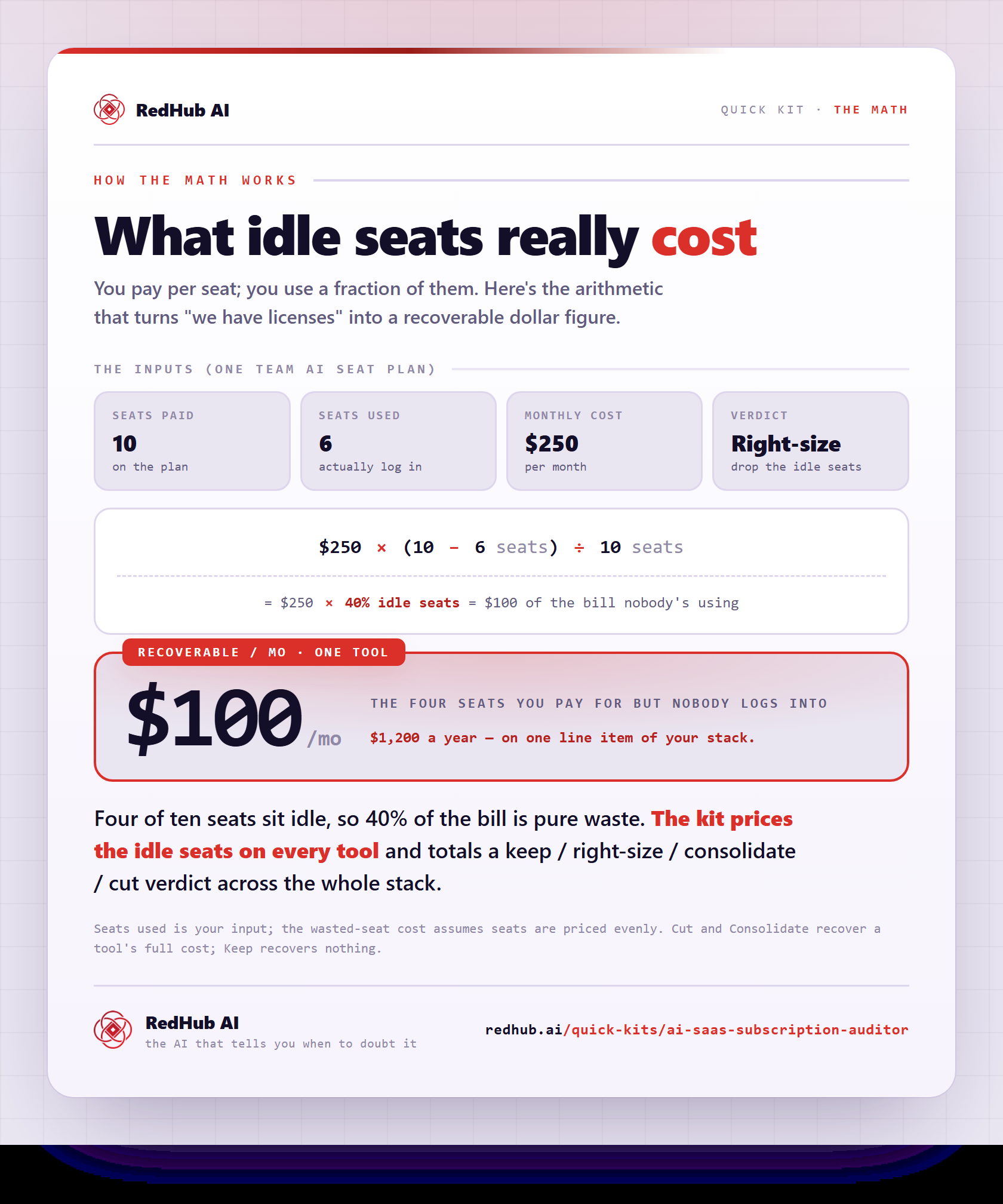
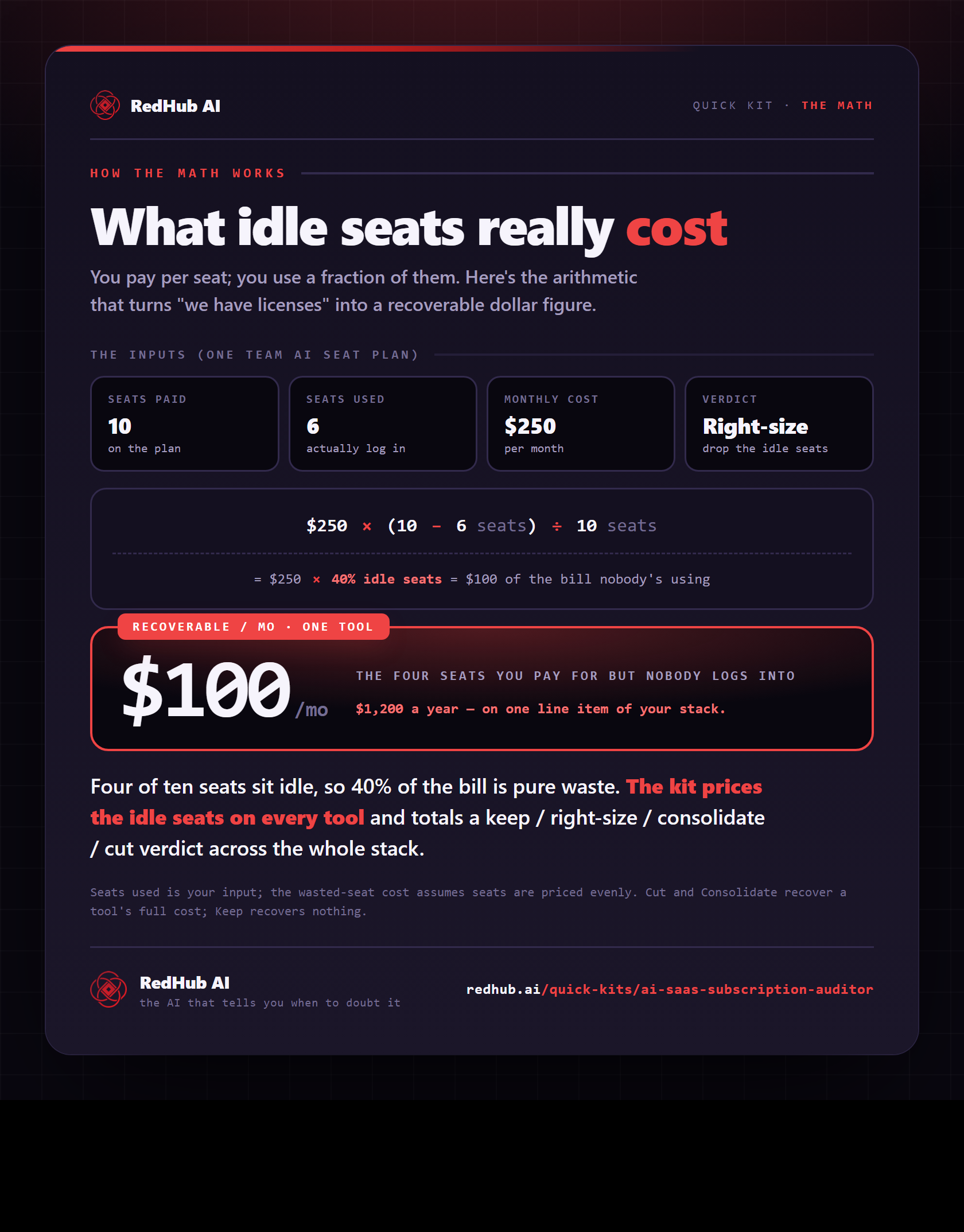
See the idle-seat math: cost × (paid − used) ÷ paid — a $250/mo plan with 4 of 10 seats idle is $100/mo, $1,200/yr on one line.
See the full calculationWhy it's different
Honest, and not another subscription
Right-size before you cut
It separates real waste from tools that earn their keep — so you trim seats and duplicates without breaking what works.
Nothing leaves your computer
Manual entry by design. No bank connection, no integration, no account — a 30-minute pass you fully control.
One-time, not a SaaS
It's a spreadsheet you own, not a recurring tool. We won't sell you a subscription to manage your subscriptions.
Used isn't the same as useful. Most of the waste is seats and duplicates hiding in plain sight.
Who it's for
Clear about the lane. No inflated promises.
Built for you if…
- You're a founder, ops lead, or finance person at an SMB or startup
- You pay for somewhere between 5 and 25 software and AI tools
- Your monthly software bill has crept up and no one's sure why
- You want a decision on each tool, not just a list
Not for you if…
- You're an enterprise needing auto-discovery and SSO across hundreds of apps
- You want always-on tracking that syncs to your bank or accounting
- You only pay for one or two tools
Pairs well with
Cut the waste, then find the rest of the money.
Killing dead subscriptions is one win; keep going. The Profit Leak Finder flags unprofitable accounts, the AI Cost-Per-Task Calculator prices what your AI tools actually cost to run, and the Accounts Receivable Recovery Kit collects the cash you’re already owed.
Common Questions
The questions ops and finance leads actually ask before running a SaaS audit.
It's a one-time spreadsheet for auditing every software and AI subscription your business pays for. You list each tool with its seats, cost, and usage; the sheet surfaces unused seats and duplicate categories, totals your real waste, and gives each tool a verdict: keep, right-size, consolidate, or cut.
One .xlsx file that opens in Microsoft Excel, Google Sheets, or Apple Numbers — no subscription, no login. It comes pre-loaded with an example software stack so it works the moment you open it; clear it and enter your own.
Three ways. It compares seats paid to seats used and calculates the wasted-seat cost per tool. It flags categories where you run more than one tool, which usually means duplicate spend. And it tallies the recoverable dollars from everything you mark cut, consolidate, or right-size. In the built-in example, that's $508 a month — about 38% of spend — on a $1,344 monthly stack.
Yes — at enterprise scale and enterprise prices, with SSO discovery across hundreds of apps. This is the small-team version for the 8–25 tools you actually pay for: a one-time spreadsheet you can run in half an hour. We're deliberately not selling you a subscription to manage your subscriptions.
No, and that's by design. Entry is manual — pulled from one card statement — so there's nothing to integrate and no data leaves your computer. The trade-off is a 30-minute one-time audit instead of always-on tracking.
They sit on opposite sides of the same problem. The Auditor finds the AI and SaaS spend you're already wasting (unused seats, duplicate tools). The Cost-Per-Task Calculator decides whether new AI spend is worth it before you commit. Cut the waste first; then decide carefully where new AI dollars go — most teams want both.
Yes — a 30-day money-back guarantee. If it doesn't help you find waste worth more than the kit, request a refund within 30 days.
Get the kit
Find the waste this afternoon.
Instant download, yours to keep, 12 months of updates. Most teams find more than the kit costs in the first pass.
- 4-tab .xlsx: register, overlap check, dashboard, action plan
- Pre-loaded example + per-tool keep/right-size/consolidate/cut verdict
- Copy-paste scripts to cancel, downgrade, negotiate, consolidate
- Works in Excel, Google Sheets, or Numbers · 30-day guarantee