Tool Gate · How it works
How the Validation-Layer Coverage Map gate works
How the Validation-Layer Coverage Map grades every automated decision across four validation layers, discounts any layer too thin to count, then rolls up to the weakest decision: a nominal-layer gate is why a decision with all four cells filled can still read THIN — and one unvalidated decision makes the map read BLIND SPOTS.
How the gate works
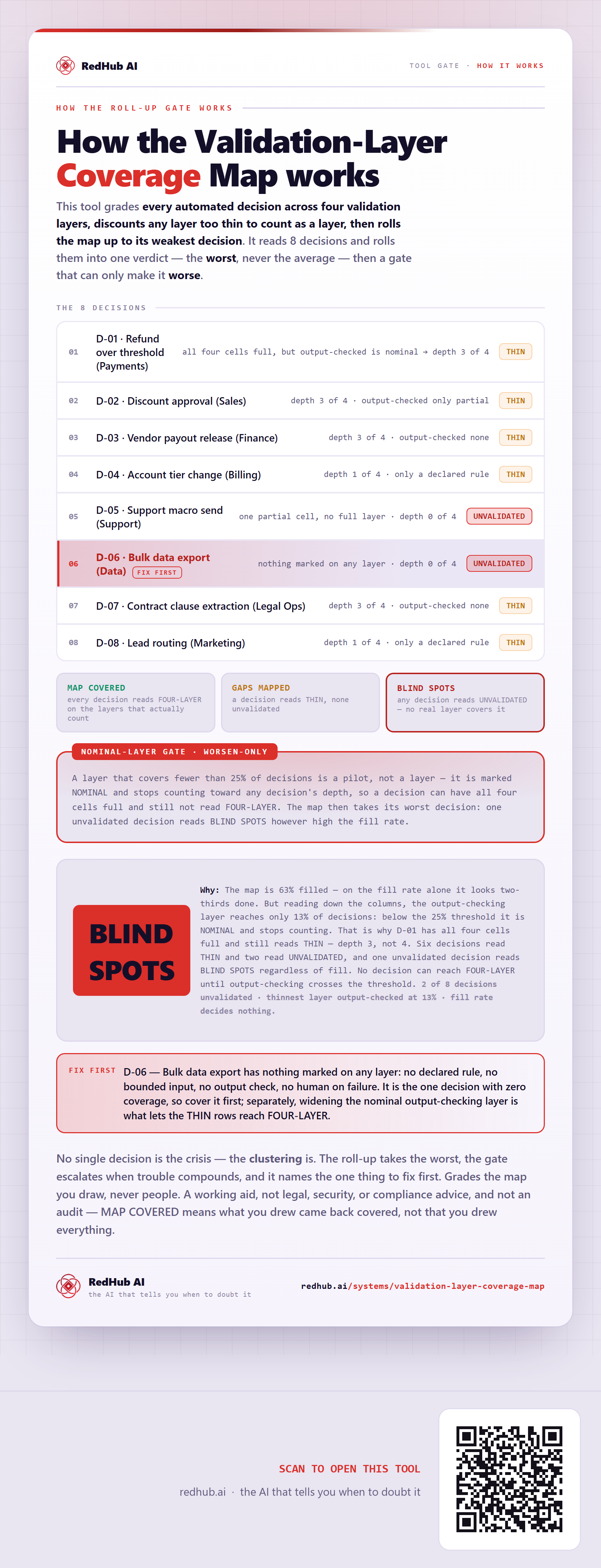
This tool grades every automated decision across four validation layers, discounts any layer too thin to count as a layer, then rolls the map up to its weakest decision. It reads 8 decisions and rolls them into one verdict — the worst, never the average — and then a gate that can only make it worse.
The 8 decisions
| Decision | Verdict |
|---|---|
| D-01 · Refund over threshold (Payments) | THINall four cells full, but output-checked is nominal → depth 3 of 4 |
| D-02 · Discount approval (Sales) | THINdepth 3 of 4 · output-checked only partial |
| D-03 · Vendor payout release (Finance) | THINdepth 3 of 4 · output-checked none |
| D-04 · Account tier change (Billing) | THINdepth 1 of 4 · only a declared rule |
| D-05 · Support macro send (Support) | UNVALIDATEDone partial cell, no full layer · depth 0 of 4 |
| D-06 · Bulk data export (Data)fix first | UNVALIDATEDnothing marked on any layer · depth 0 of 4 |
| D-07 · Contract clause extraction (Legal Ops) | THINdepth 3 of 4 · output-checked none |
| D-08 · Lead routing (Marketing) | THINdepth 1 of 4 · only a declared rule |
The verdict bands
A layer that covers fewer than 25% of decisions is a pilot, not a layer — it is marked NOMINAL and stops counting toward any decision's depth, so a decision can have all four cells full and still not read FOUR-LAYER. The map then takes its worst decision: one unvalidated decision reads BLIND SPOTS however high the fill rate.
In the worked sample it reads BLIND SPOTS — The map is 63% filled — on the fill rate alone it looks two-thirds done. But reading down the columns, the output-checking layer reaches only 13% of decisions: below the 25% threshold it is NOMINAL and stops counting. That is why D-01 has all four cells full and still reads THIN — depth 3, not 4. Six decisions read THIN and two read UNVALIDATED, and one unvalidated decision reads BLIND SPOTS regardless of fill. No decision can reach FOUR-LAYER until output-checking crosses the threshold. Marked fix first on this sample: D-06 — Bulk data export has nothing marked on any layer: no declared rule, no bounded input, no output check, no human on failure. It is the one decision with zero coverage, so cover it first; separately, widening the nominal output-checking layer is what lets the THIN rows reach FOUR-LAYER.
Common questions
Can every decision look survivable on the Validation-Layer Coverage Map and the company still read BLIND SPOTS?
Yes. The roll-up takes the worst of 8 decisions — never the average — then a worsen-only gate, the Nominal-layer gate gate, escalates when trouble clusters. In the worked sample it reads BLIND SPOTS because the map is 63% filled — on the fill rate alone it looks two-thirds done. But reading down the columns, the output-checking layer reaches only 13% of decisions: below the 25% threshold it is NOMINAL and stops counting. That is why D-01 has all four cells full and still reads THIN — depth 3, not 4. Six decisions read THIN and two read UNVALIDATED, and one unvalidated decision reads BLIND SPOTS regardless of fill. No decision can reach FOUR-LAYER until output-checking crosses the threshold.
What is a worsen-only gate?
A rule that can only lower a verdict, never raise it. One gate-triggering gap overrides an otherwise-set of survivable lines, because a single gate-triggering gap shouldn't hide behind an average of the healthy ones. Where something is short, the fix-first row names it — here, "D-06 — Bulk data export has nothing marked on any layer: no declared rule, no bounded input, no output check, no human on failure. It is the one decision with zero coverage, so cover it first; separately, widening the nominal output-checking layer is what lets the THIN rows reach FOUR-LAYER.".
Grades the map you draw, never people. A working aid, not legal, security, or compliance advice, and not an audit — MAP COVERED means what you drew came back covered, not that you drew everything.
Embed this diagram
Free to share and embed with attribution (CC BY 4.0) — keep the link to redhub.ai.
Interactive — renders the live diagram
<iframe src="https://redhub.ai/visuals/tool/validation-layer-coverage-map.html" title="How the Validation-Layer Coverage Map gate works — RedHub AI" width="760" height="2093" loading="lazy" style="border:0;width:100%;max-width:760px"></iframe>
<p style="font:14px/1.5 system-ui,sans-serif"><a href="https://redhub.ai/visuals/tool/validation-layer-coverage-map">How the Validation-Layer Coverage Map gate works</a> — by <a href="https://redhub.ai">RedHub AI</a>, the AI that tells you when to doubt it.</p>
Image + link — a static picture for any blog
<a href="https://redhub.ai/visuals/tool/validation-layer-coverage-map"><img src="https://redhub.ai/visuals/tool/validation-layer-coverage-map-share.png" alt="Diagram of the Validation-Layer Coverage Map: automated decisions graded across four layers and rolled up worst-not-average, a nominal-layer discount gate, and the map reading BLIND SPOTS." width="760" loading="lazy" style="max-width:100%;height:auto;border-radius:16px"></a>
<p style="font:14px/1.5 system-ui,sans-serif"><a href="https://redhub.ai">RedHub AI</a> — the AI that tells you when to doubt it.</p>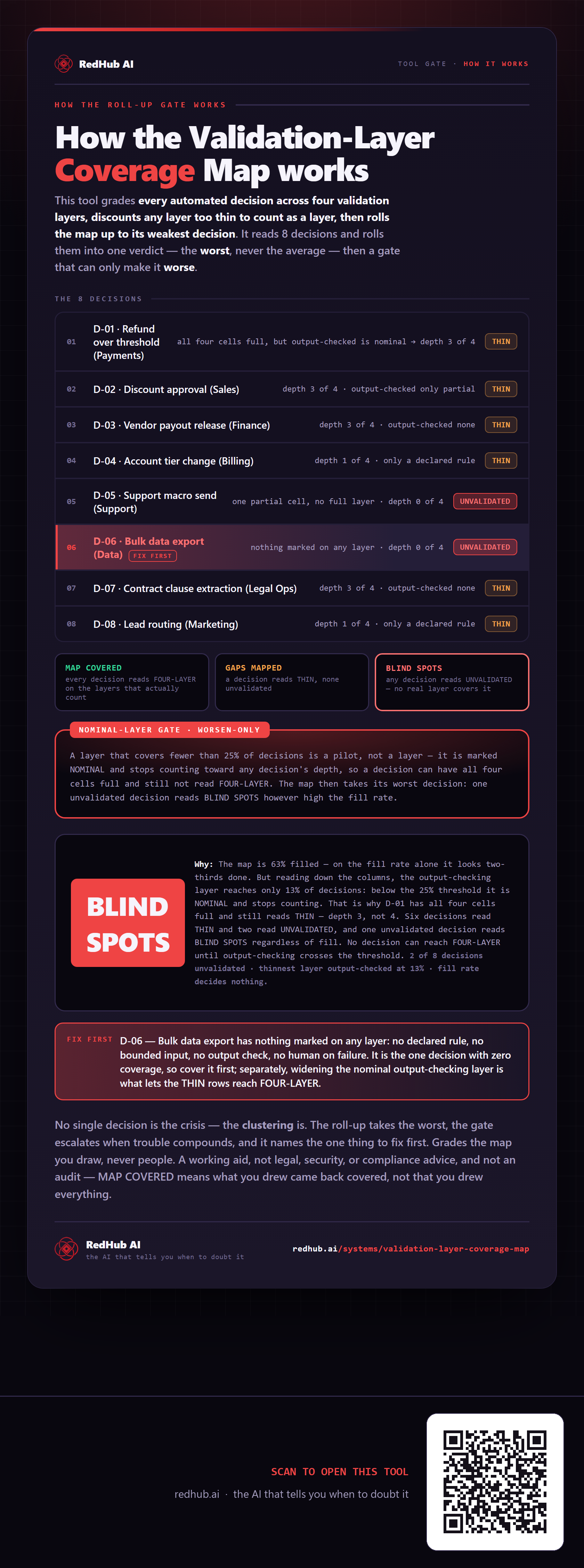
This is how Validation-Layer Coverage Map works. More diagrams in the Visual Field Guide.