Catch the invoicewhose total doesn't tie.
Check document fields against fixed rules — formats, ranges, required fields, and cross-field math — and get a clear PASS, REVIEW, or REJECT on every record. A deterministic layer that rejects what's wrong, however clean it looks.
The error that passes review is the one that costs you.
A record where every field is well-formed but the total doesn't tie. It sails through review — and you pay it.
A 92% record with a math error is wrong. A pass-rate can't buy back a missing total or a broken sum.
Human spot-checks drift. The same record gets waved through one day and flagged the next. Rules don't drift.
Validate a batch and watch the gate reject what doesn't tie.
INV-00003
REJECT · 92%A critical rule failed, so this record is REJECT regardless of its 92% score — a record can't be mostly valid when the math doesn't tie or a required field is missing.
2 pass · 1 review · 2 reject. One reject blocks the batch.
Mixed batch (blocked): Two clean, one soft-only REVIEW, two critical rejects — the batch is blocked.
Every check is a fixed rule firing on the record's own values — no model, no guess. The workbook and the Python engine produce these exact verdicts.
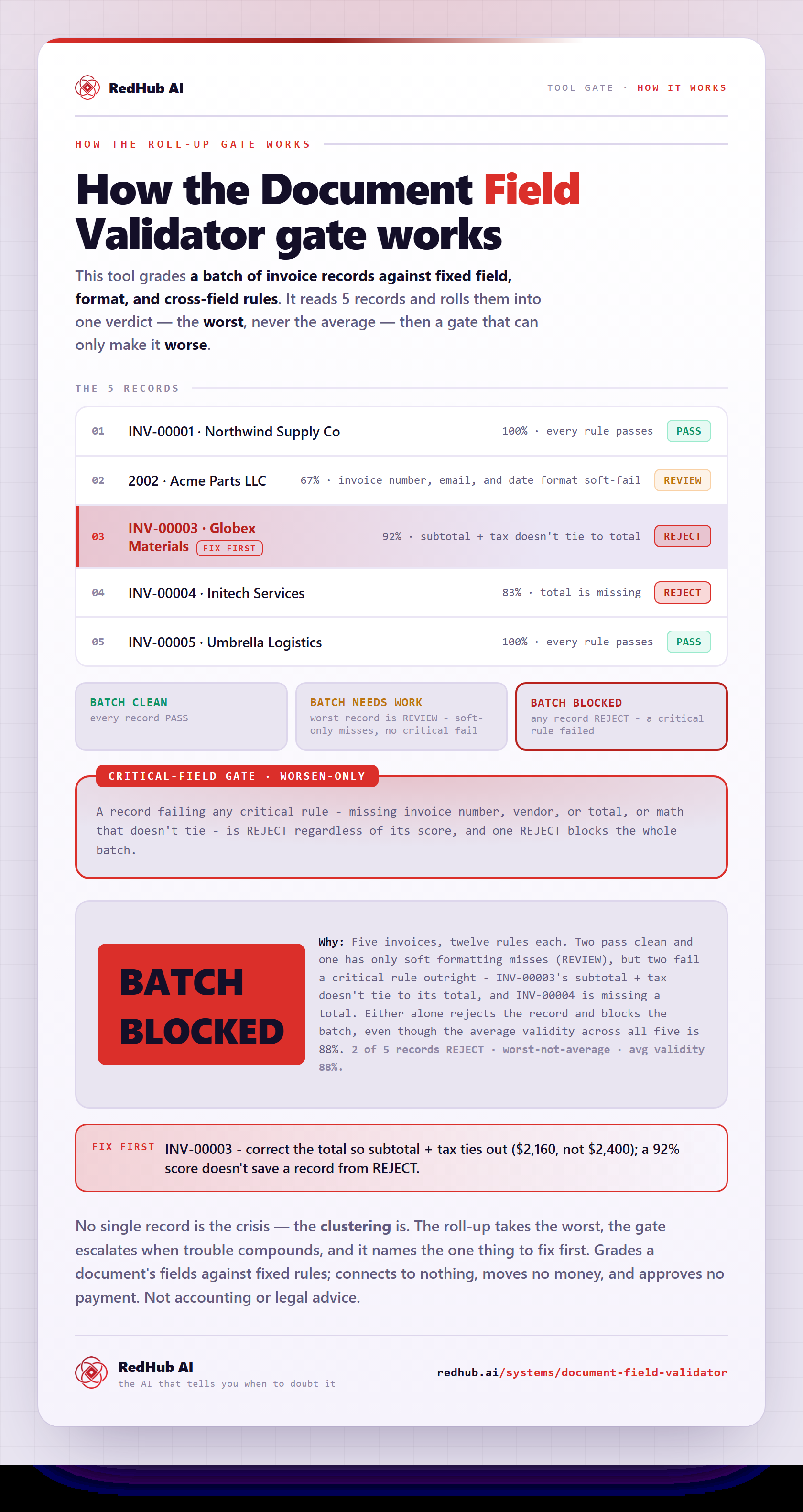
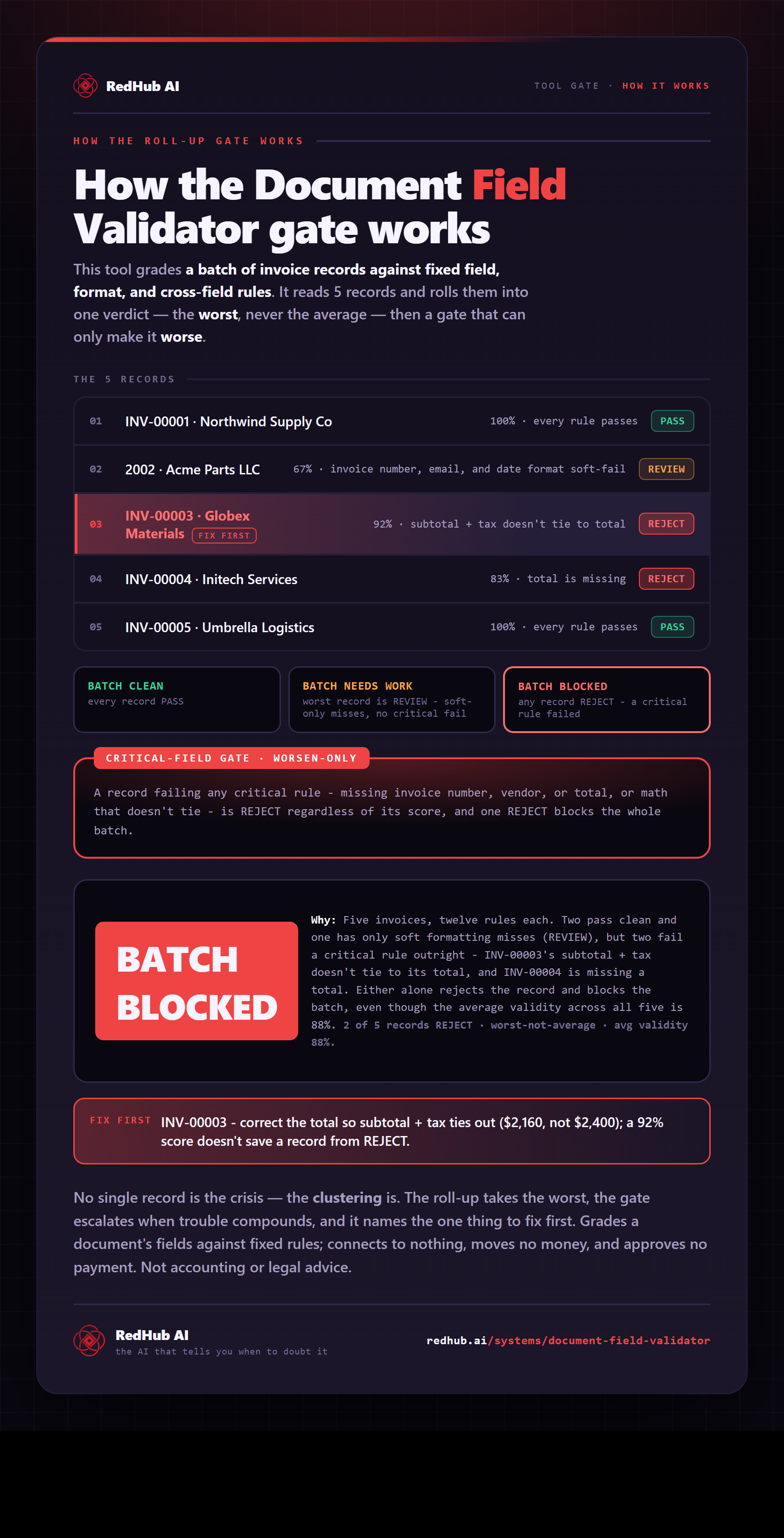
How the gate works, in one image
How the Document Field Validator's critical-field gate turns 12 per-record rule checks into a PASS/REVIEW/REJECT verdict and blocks a batch on one bad tie-out — the same math the demo runs, as a diagram you can share or embed anywhere.
View & embed the full diagramThe same verdicts from the Python engine — every rule, every record.
==================================================================
  DOCUMENT FIELD VALIDATOR  ·  as of 2026-06-22
==================================================================
  RECORD               SCORE   VERDICT   FAILED RULES
------------------------------------------------------------------
  INV-00001             100%   PASS      —
  2002                   67%   REVIEW    invoice_number_format, vendor_email_format, invoice_date_format, due_after_invoice
  INV-00003              92%   REJECT    total_ties_out  [CRITICAL]
  INV-00004              83%   REJECT    total_present, total_ties_out  [CRITICAL]
  INV-00005             100%   PASS      —
------------------------------------------------------------------
  PASS 2   REVIEW 1   REJECT 2
------------------------------------------------------------------
  BATCH: BATCH BLOCKED
==================================================================
INV-00003 scores 92% — every field clean except subtotal + tax, which doesn't equal the total. That one critical failure forces REJECT, and one reject blocks the batch. The score is context; the gate decides.
Three operating principles, enforced in the rules.
Deterministic, not probabilistic
Every check is a fixed rule firing on the record's own values — no model, no guess. The same record always gets the same verdict.
A critical failure is dispositive
Any critical rule that fails forces REJECT regardless of how many soft rules pass. The math must tie; required fields must be present.
Severity is yours to set
You mark which rules are critical and which are soft, so the validator rejects exactly the records you'd stop a payment for.
A deterministic rule layer, not an extractor and not a guess.
- A rule engine that judges fields against fixed checks — same input, same verdict.
- The validation layer the AI Document Extraction Kit hands off to.
- Type-agnostic — swap the rule pack for POs, applications, claims, intake forms.
- Transparent — engine, workbook, and demo all produce the same result.
- An extractor — bring fields from the Extraction Kit or your own keying.
- A two-list reconciliation or a numeric close (those are separate kits).
- A people-scoring tool — it validates document fields, not individuals.
- A model that guesses — every check is a fixed, reproducible rule.
Scope: The Document Field Validator checks your own document fields against rules you define and returns a business-judgment verdict. It does not score or rank people, and it is not legal, accounting, or compliance advice.
Anyone keying or importing documents who can't afford a bad record through.
- AP and finance ops validating invoices before payment.
- Anyone post-processing extracted document data.
- Ops teams importing records into a system of record.
- Builders who want a deterministic check, not an AI maybe.
- Extracting fields from a raw document (that's the Extraction Kit).
- Reconciling two lists against each other (that's a separate kit).
- Scoring or ranking people — it validates document fields only.
Extract, validate, reconcile — the honest back-office sequence.
AI Document Extraction Kit
Extract the fields first — then validate them here. Extraction guesses; validation decides.
ViewFinance & Reporting Automation Kit
Once fields are valid, reconcile the numbers — a workbook that checks its own tie-outs.
ViewAI Data Analysis Starter Kit
Analyze the clean data you've validated, with an honesty layer that keeps it defensible.
ViewStraight answers on how it validates and what it won't do.
It checks each document record's fields against a rule pack of five deterministic check types — format (e.g. an invoice-number or email pattern), numeric range, required-field presence, allowed-value (enum, e.g. currency), and cross-field math (subtotal + tax = total). Every rule passes or fails on the record's own values, and the record gets a verdict: PASS, REVIEW, or REJECT. It validates extracted or keyed fields; it doesn't read the document or extract anything itself.
Because of the hard-fail gate. Each rule is marked critical or soft; any critical rule that fails forces REJECT no matter how many soft rules pass and regardless of the validity score. In the worked example, an invoice scores 92% — every field clean except that subtotal + tax doesn't equal the total — and that one critical failure rejects it. A record can't be 90% valid when the math doesn't tie or a required field is missing. The score is context only; the gate decides.
Different layer, and they pair. The AI Document Extraction Kit reads a raw document with a model and pulls out the fields, flagging the ones it's unsure it read correctly. This is the deterministic layer that runs after: it takes those fields and judges whether the values are actually valid against fixed rules. Extraction tells you how confident it is that it read 'total: 2,400' — this tells you 2,400 is wrong because subtotal + tax is 2,160. Extract with judgment, then validate by rule.
Fully deterministic — no model, no guessing. Every check is a fixed rule firing on the record's own values, so the same record always gets the same verdict; nothing drifts the way a human spot-check or a probabilistic model does. The included Python engine and the workbook reproduce the exact same rules and verdicts, and the on-page demo runs the identical logic in your browser.
Yes — it's type-agnostic. The invoice rule pack ships as the worked example, but the validator runs whatever rules you define, so you swap the pack for purchase orders, applications, claims, intake forms, or any record with fields you can write rules for. You also set which rules are critical and which are soft, so it rejects exactly the records you'd stop a payment (or an import) for.
When you validate a batch of records, it rolls the per-record verdicts up into one batch verdict: BATCH CLEAN (every record passes), BATCH NEEDS WORK (some records need review but none are rejected), or BATCH BLOCKED (at least one record is REJECT). One reject blocks the batch — so a single clean-looking invoice whose total doesn't tie holds the whole batch until it's fixed, rather than slipping through with the good ones.
New to the document-ops line? Run the Document Processing Pipeline Diagnostic first — it scores your workflow across six stages and, where a stage is short, routes you to the exact drop that fixes your bottleneck.
Let the rule decide.
Not the spot-check.
One purchase, lifetime access, 12 months of updates. $79, once.
Scope: validates your own document fields; does not score or rank people; not legal, accounting, or compliance advice.
Sold by RedHub AI LLC · Secured by Stripe · redhub.ai