File Naming & Organization Engine
Check every filename against your own convention, get the corrected name for each file, and catch the rename that would quietly overwrite another file — before you run it.
instant download · .xlsx · yours to keep
The problem
A messy folder is annoying. A bad rename loses a file.
Inconsistent names mean every search is a hunt, and the right version is anyone's guess.
Two files cleaned up to the same name — and the second silently replaces the first. The fix caused the loss.
Renaming a hundred files by hand is slow and inconsistent. A rule applies the same way every time.
What's inside
One spreadsheet that checks names and catches clashes.
The standard
A collision outranks a clean name — because the rename is what loses data.
Every check is a fixed string rule against your convention — no model, no invented confidence. The same batch always gives the same verdicts.
Two files that would become one name are both flagged COLLISION regardless of how well-formed each is. You disambiguate before renaming.
A malformed token shows as FIXME-<token>, never a bad value smuggled into a 'conforming' name. The proposed name is always a valid target.
How it works
Try it — fix a bad date, or disambiguate a collision, and watch the verdicts move.
1 conform · 3 to rename · 2 collision. A collision must be fixed before renaming.
Mixed batch (collisions found): One already-correct file, three to rename (incl. a bad date flagged FIXME), and two different files that normalize to the same name — a collision.
Every check is a fixed string rule against the convention you set — a malformed token shows as FIXME and never leaks a bad value into a name. The workbook produces these exact verdicts.
This is the live engine. The full .xlsx with your own token convention and allowed types Live per-file checks, proposed names, and the collision gate A worked 6-file example you can overwrite with your own batch
Get the kit — $49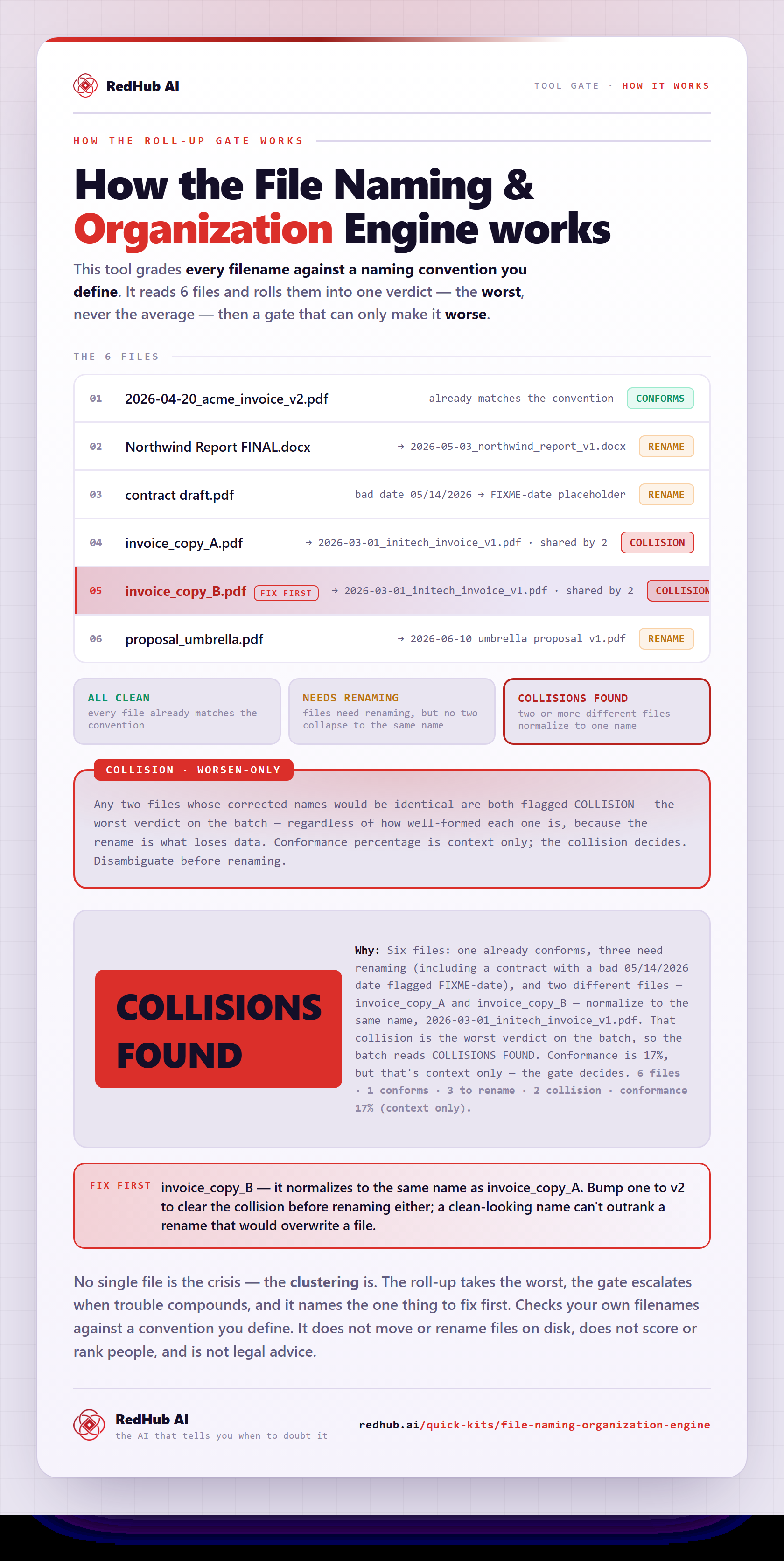
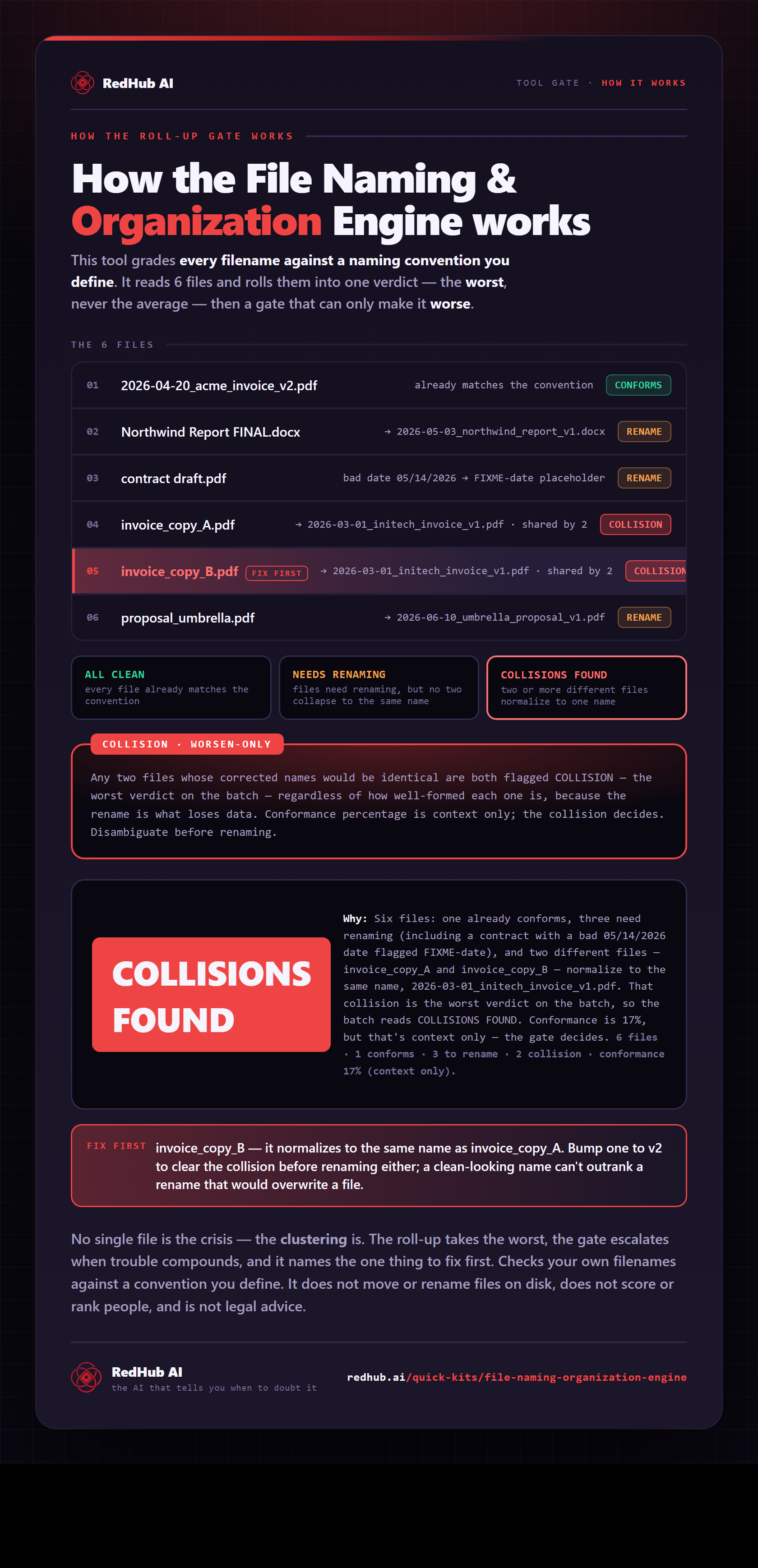
How the gate works, in one image
How the File Naming & Organization Engine grades filenames against your convention and flags COLLISIONS FOUND when two files would rename to the same thing — the same math the demo runs, as a diagram you can share or embed anywhere.
View & embed the full diagramWhat you'll see
A proposed name for every file, and a clear stop on the dangerous ones.
The name already matches the convention. Nothing to do.
Valid fields, name doesn't match yet. Rename to the proposed name — safe.
Two files would become the same name. Add a disambiguating token first.
Who it's for
Anyone with a folder of files that should follow one naming rule.
- Ops and admins standardizing a shared drive
- Bookkeepers naming invoices, receipts, and contracts
- Anyone migrating files into a new convention
- Teams who want a safe-rename check before a bulk move
- Actually moving or renaming files on disk (it tells you the names; you apply them)
- Classifying document content (that's a routing tool)
- Scoring or ranking people
FAQ
Straight answers before you buy.
You define a naming convention as ordered tokens — date, client, document type, version — each with a format rule, and for every file it checks each token, assembles the corrected name, and returns one of three verdicts: CONFORMS (the name already matches, leave it), RENAME (valid fields, here's the corrected name, safe to apply), or COLLISION (renaming would clash with another file — fix first). It's a single .xlsx, so it tells you the names to use; you apply them. It never touches your disk and never moves or renames a file.
It's the honesty core of the kit. If two distinct files would normalize to the same conforming name, both are flagged COLLISION regardless of how well-formed each one is individually — because the rename itself is what loses data. Clean two files up to the same name and the second silently overwrites the first, so the cleanup causes the loss. The gate makes that impossible to do blind: it stops you before the rename and tells you which files would clash, so you add a disambiguating token first.
RENAME is safe: the file's fields are valid (or fixable), its current name just doesn't match the convention yet, and the proposed name is unique — apply it and you're done. COLLISION is a stop: two different files would become the same name, so renaming either one risks overwriting the other. RENAME is 'go ahead'; COLLISION is 'resolve this before you rename anything.' A conformance percentage is shown for context, but it never decides the verdict — the gate does.
A token that fails its format and can't be safely normalized is written as FIXME-<token> instead of leaking a bad value into the name — so a date like 05/14/2026 becomes FIXME-date rather than smuggling a slash into the filename. The proposed name is therefore always a valid filename that points at exactly the field to fix. Only two things are auto-corrected: a client slug (always normalizable from free text — 'Globex Corp' becomes 'globex-corp') and an in-range document type. Everything else that's malformed is flagged, not guessed.
Yes — the convention is yours. The ordered tokens, the list of allowed document types, and the separator are all editable inputs on the worksheet, so you set the naming standard your team actually uses and the kit checks against it. The verdict logic and the collision gate stay fixed and deterministic: the same batch of files always produces the same verdicts and the same proposed names, every time.
Different surface. The Document Classify & Route Kit reads a document's content and decides which queue the whole document belongs in (route it to AP, Legal, Recruiting). This kit works on the filename string and the destination name — it checks names against a convention and catches the rename that would clobber a file. One asks 'where does this document go?'; this asks 'what should this file be called, and will renaming it overwrite something?' They don't overlap, and both are deterministic.
New to the document-ops line? Run the Document Processing Pipeline Diagnostic first — it scores your workflow across six stages and, where a stage is short, routes you to the exact drop that fixes your bottleneck.
Get the kit
Rename with confidence.
- One .xlsx — Start Here, Dashboard, Naming Checker.
- Your convention, your allowed types, your separator.
- A worked example ready to overwrite.
Checks your own filenames against a convention you define. It does not score or rank people, and it is not legal advice.